
PDF GUIDE · 38 PAGES
Illustrated user guide
Installation, settings, worked examples, all 43 Inputs and limitations in one illustrated guide.
Your starting point for the guide, tutorial, community and setup. Open the complete guide and videos below.
Connect with Issam Algo customers and stay close to every update.
Open your complete PDF, watch the introduction, then follow the full tutorial chapter by chapter.
Installation, settings, worked examples, all 43 Inputs and limitations in one illustrated guide.
Select a chapter, then press play in the video.
Watch on YouTube ↗ · English captions available.
Select a chapter, then press play in the video.
Watch on YouTube ↗ · English captions available.
One complete 38-page guide · a 1:58.9 introduction · a 10:27.9 tutorial with 12 chapters. English captions are included. Videos start muted; use the player’s volume control when you want audio.
Message me on MQL5 after purchase to receive Smart Universal Expert Advisor for FREE, plus the online course, PDF manual, and private group access.
Your guide and tutorial open directly above. The gift is a separate Expert Advisor; it does not establish tested Smart Elliott Waves automation compatibility.
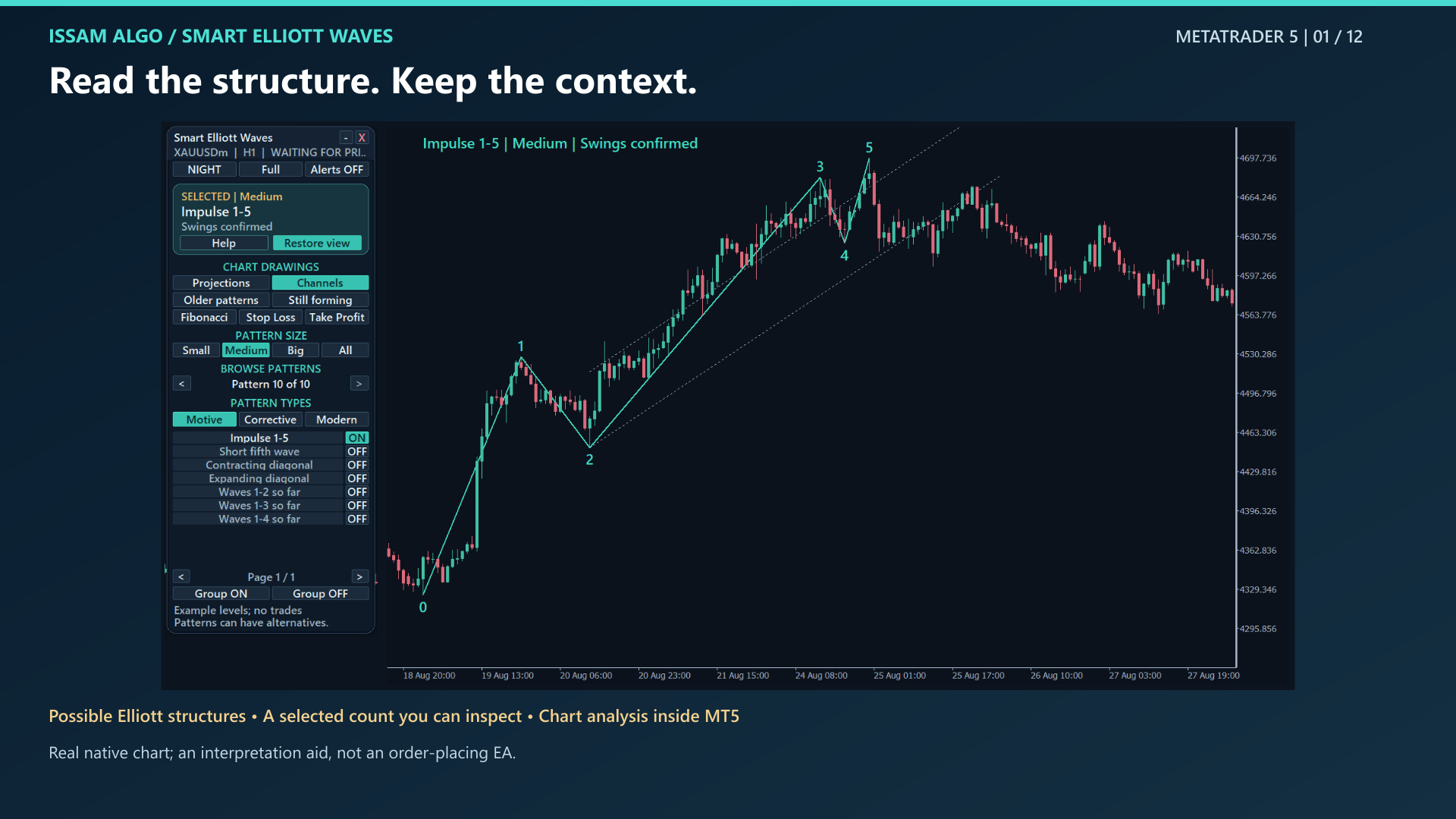
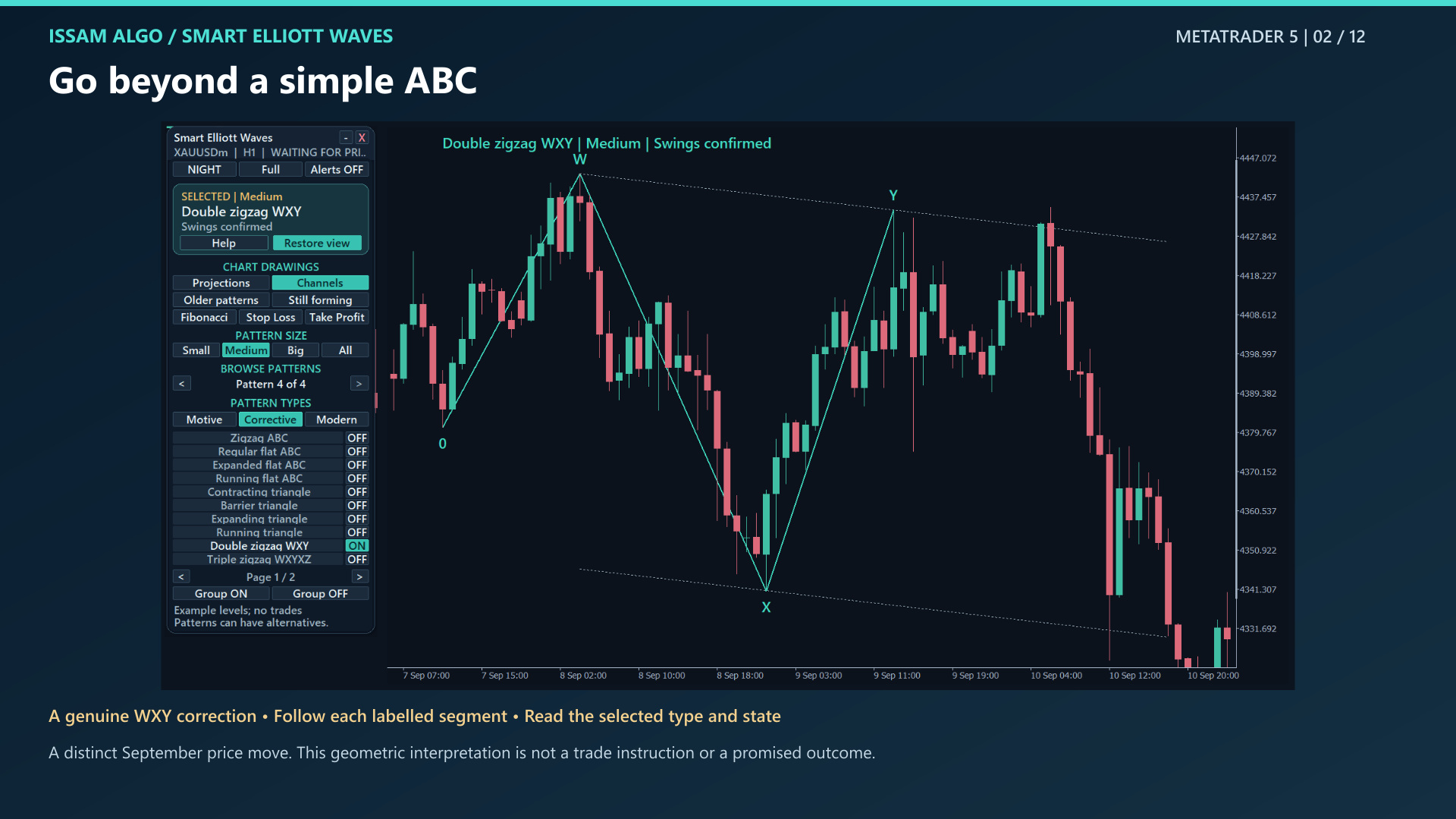
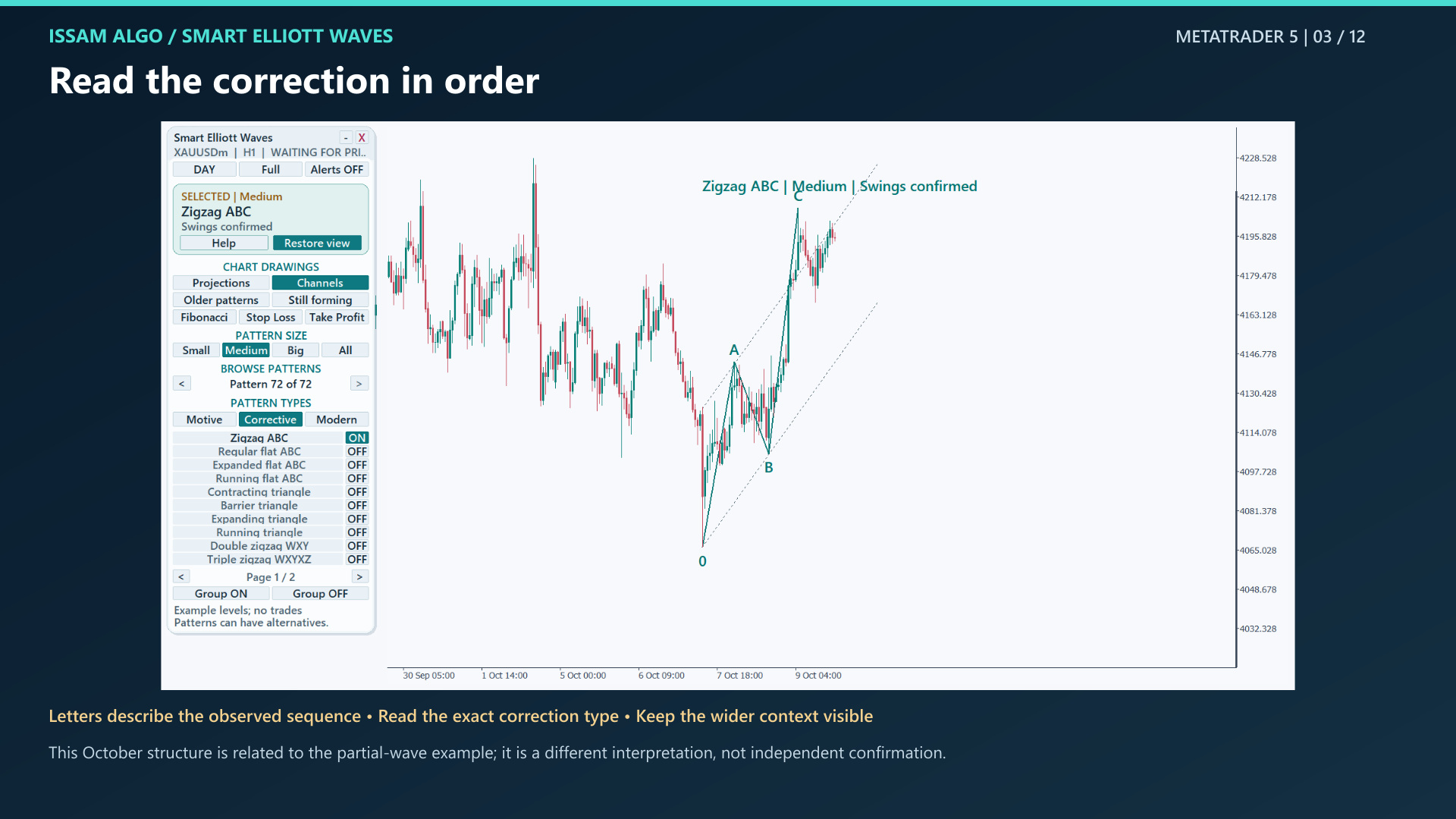
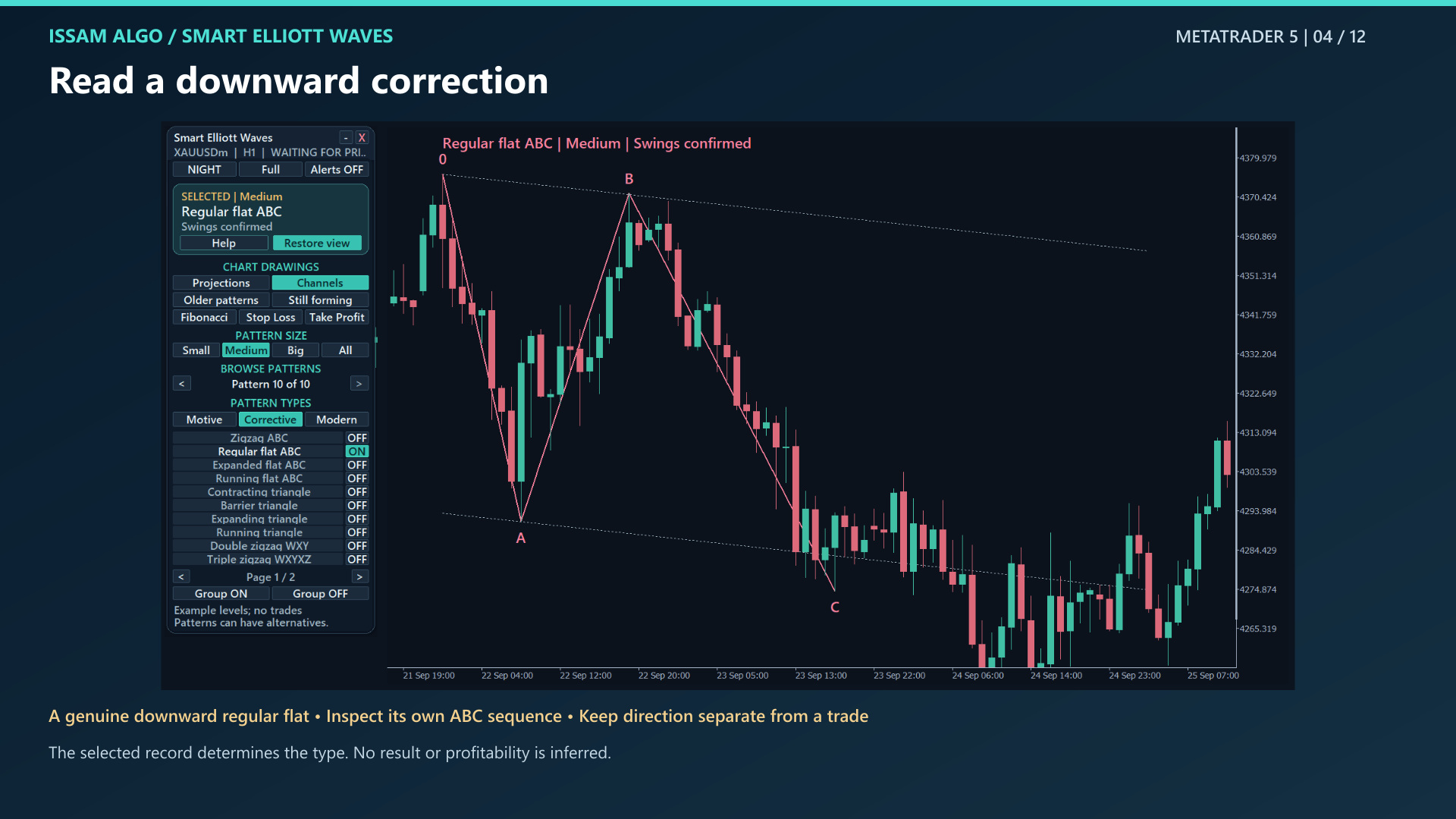
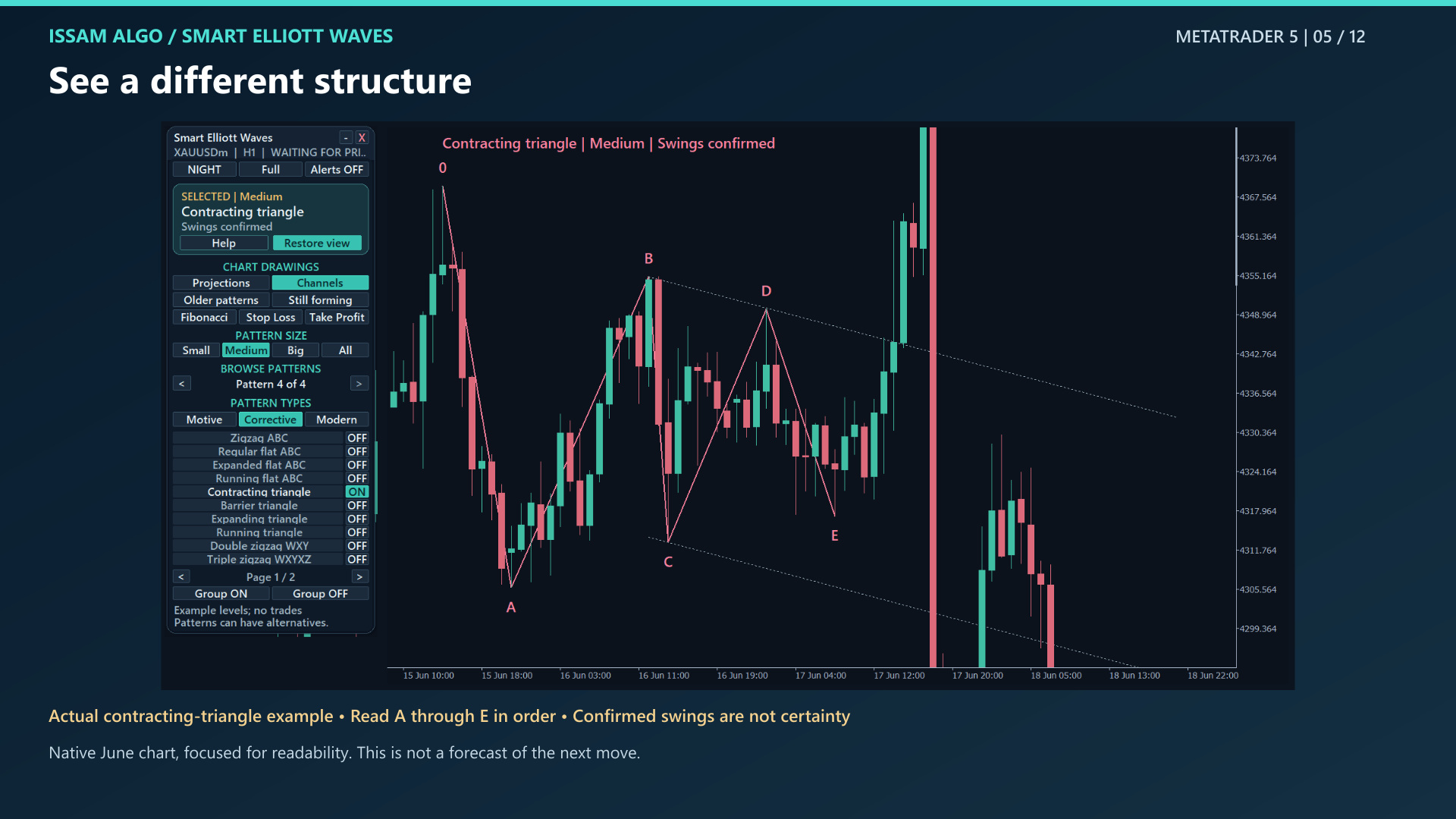
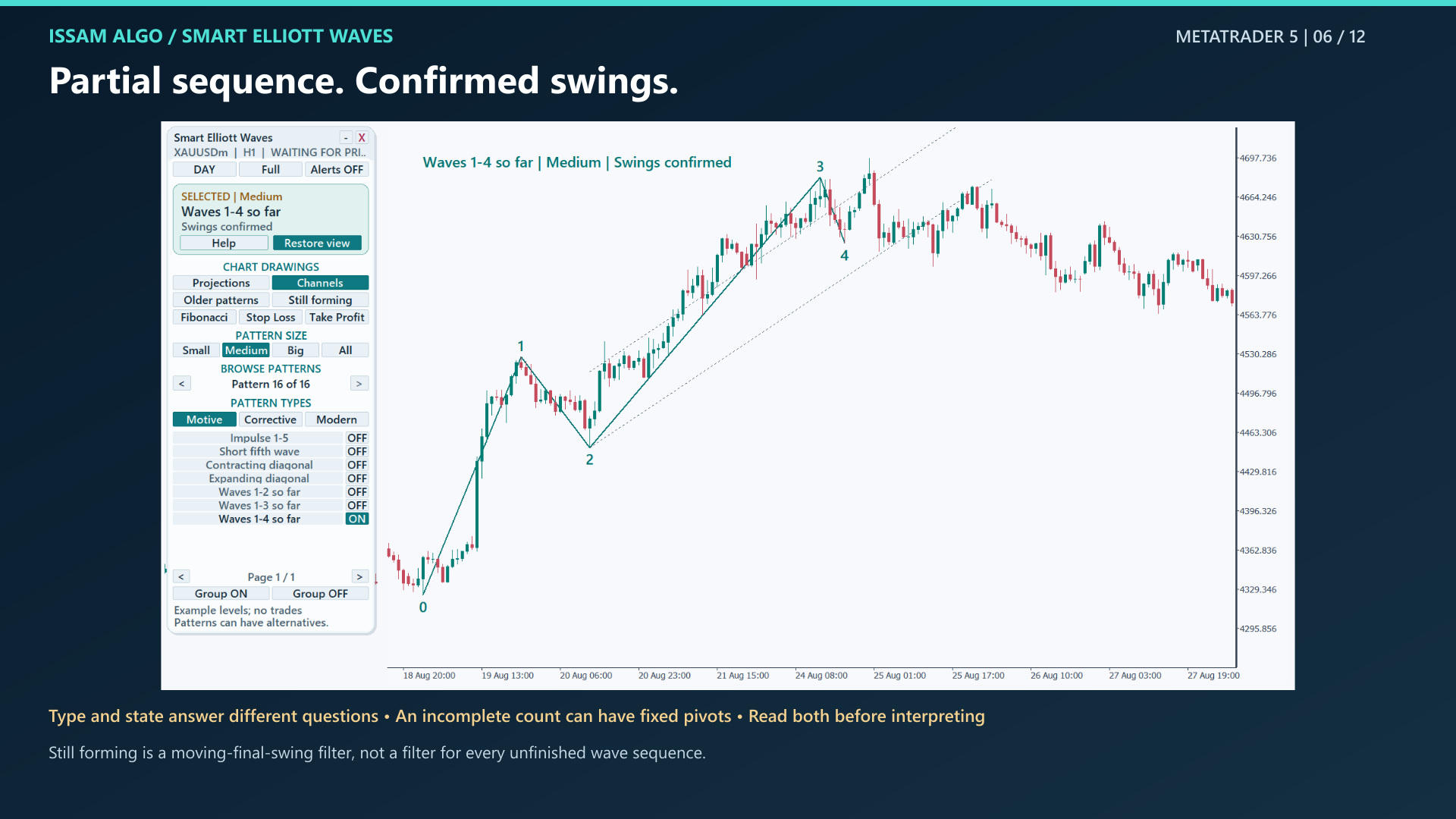
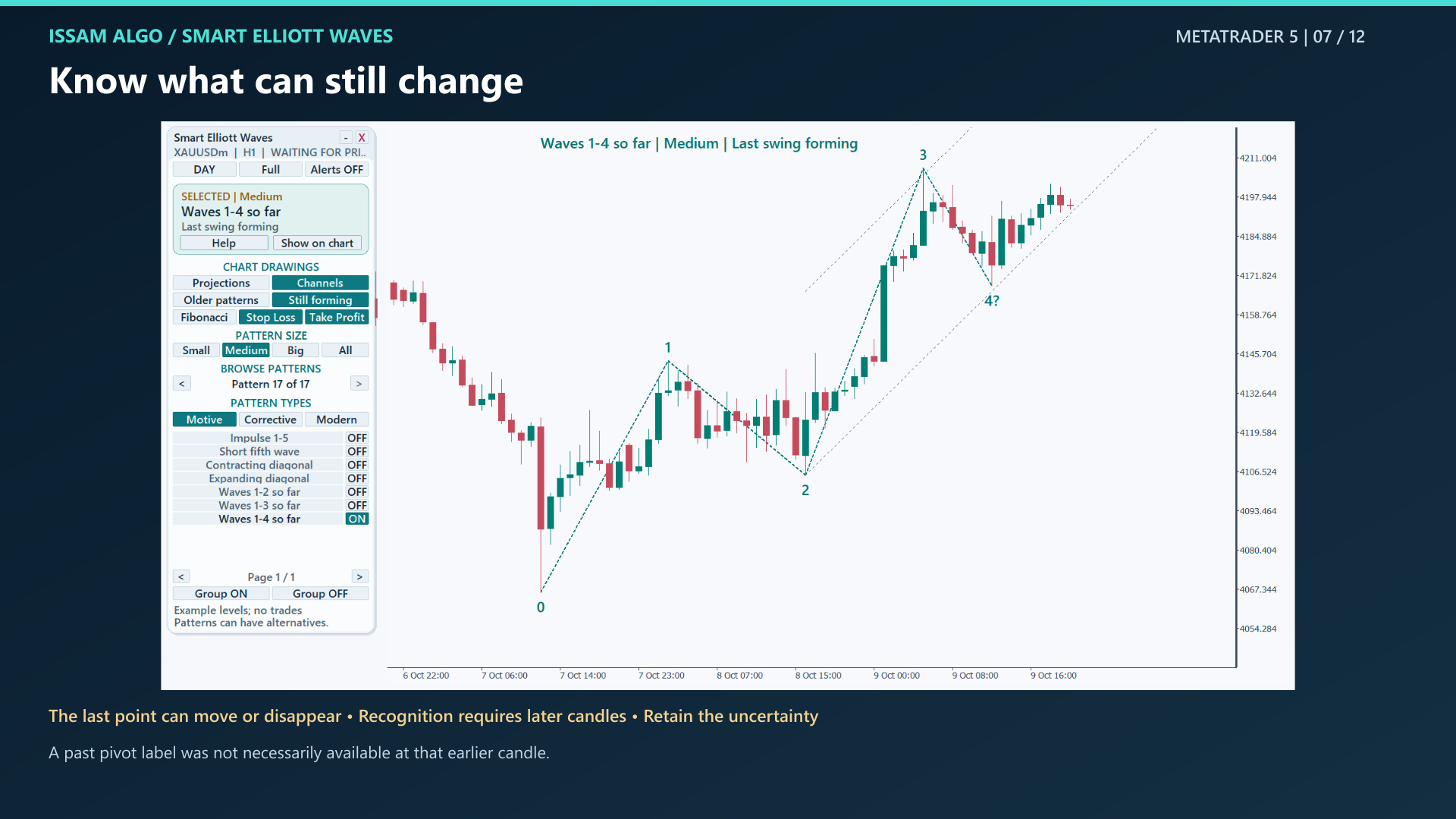
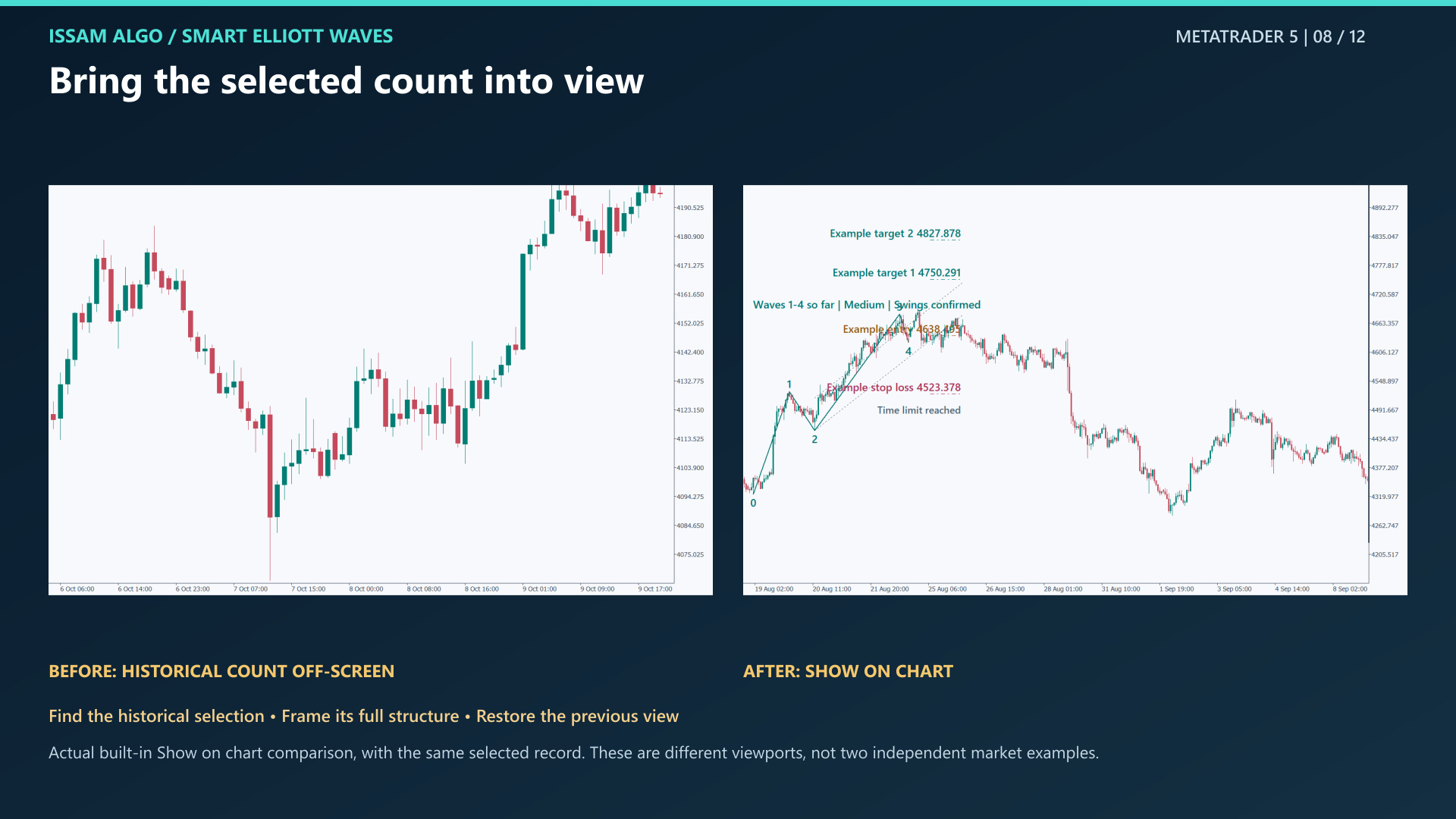
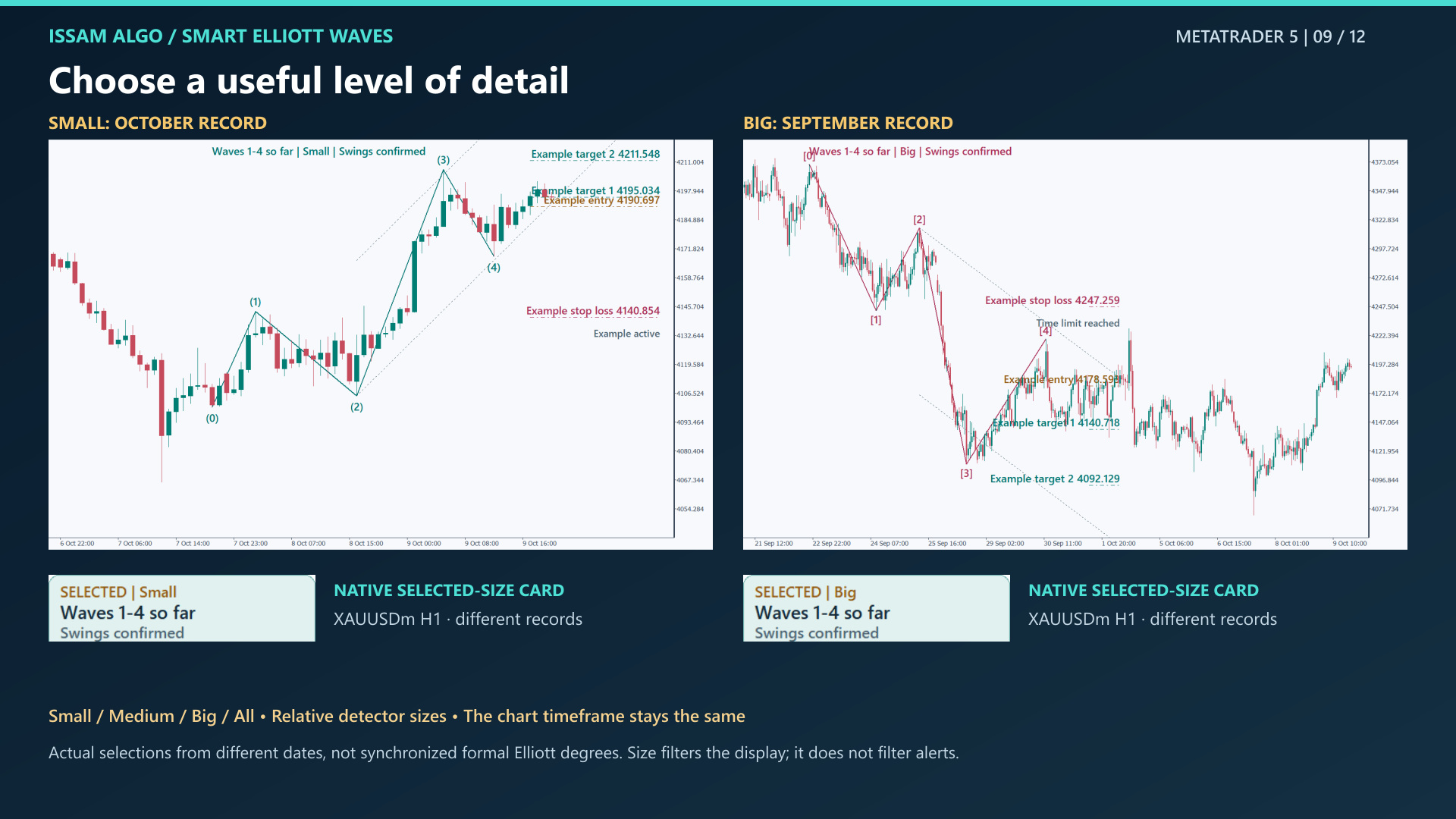
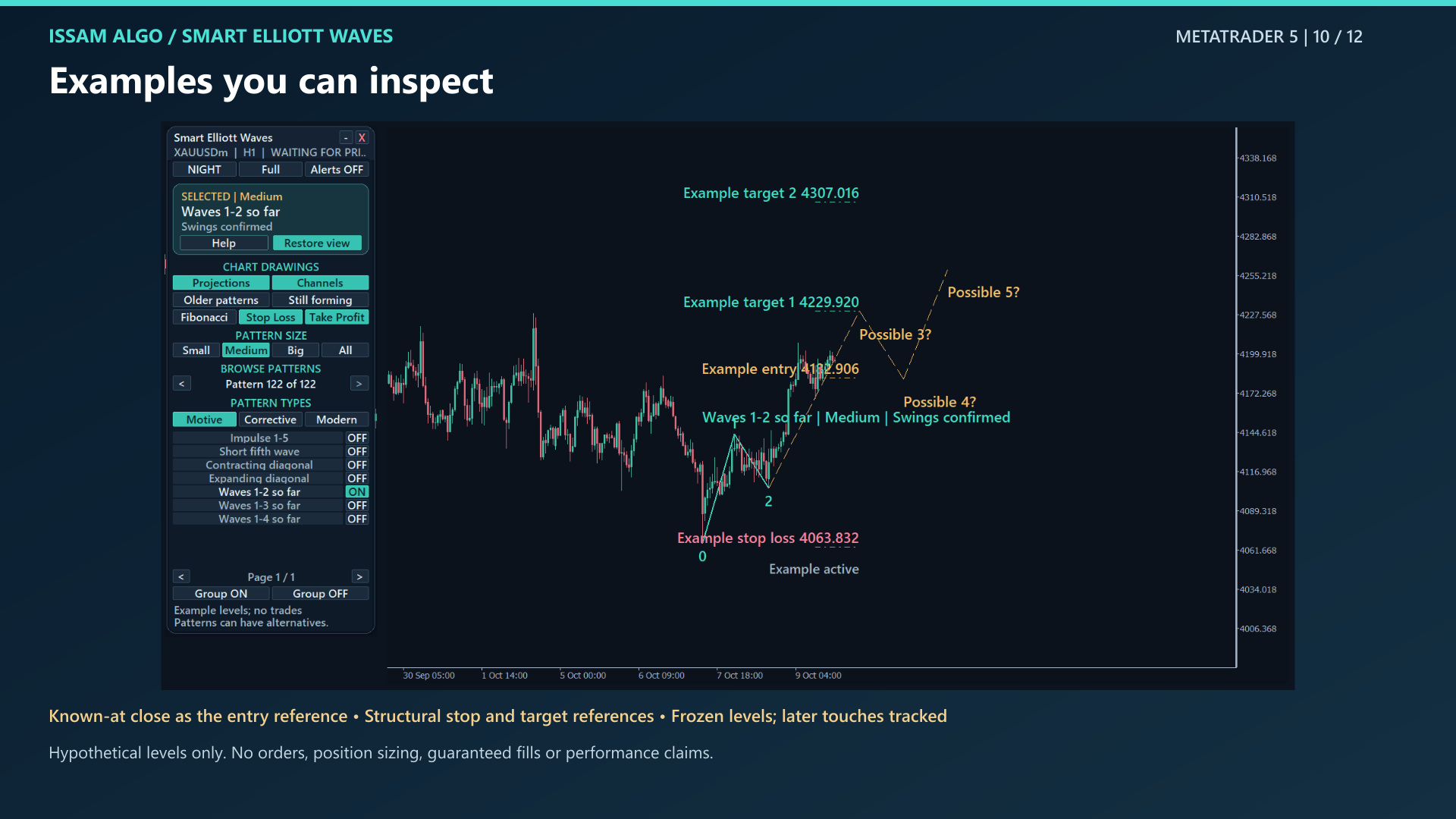
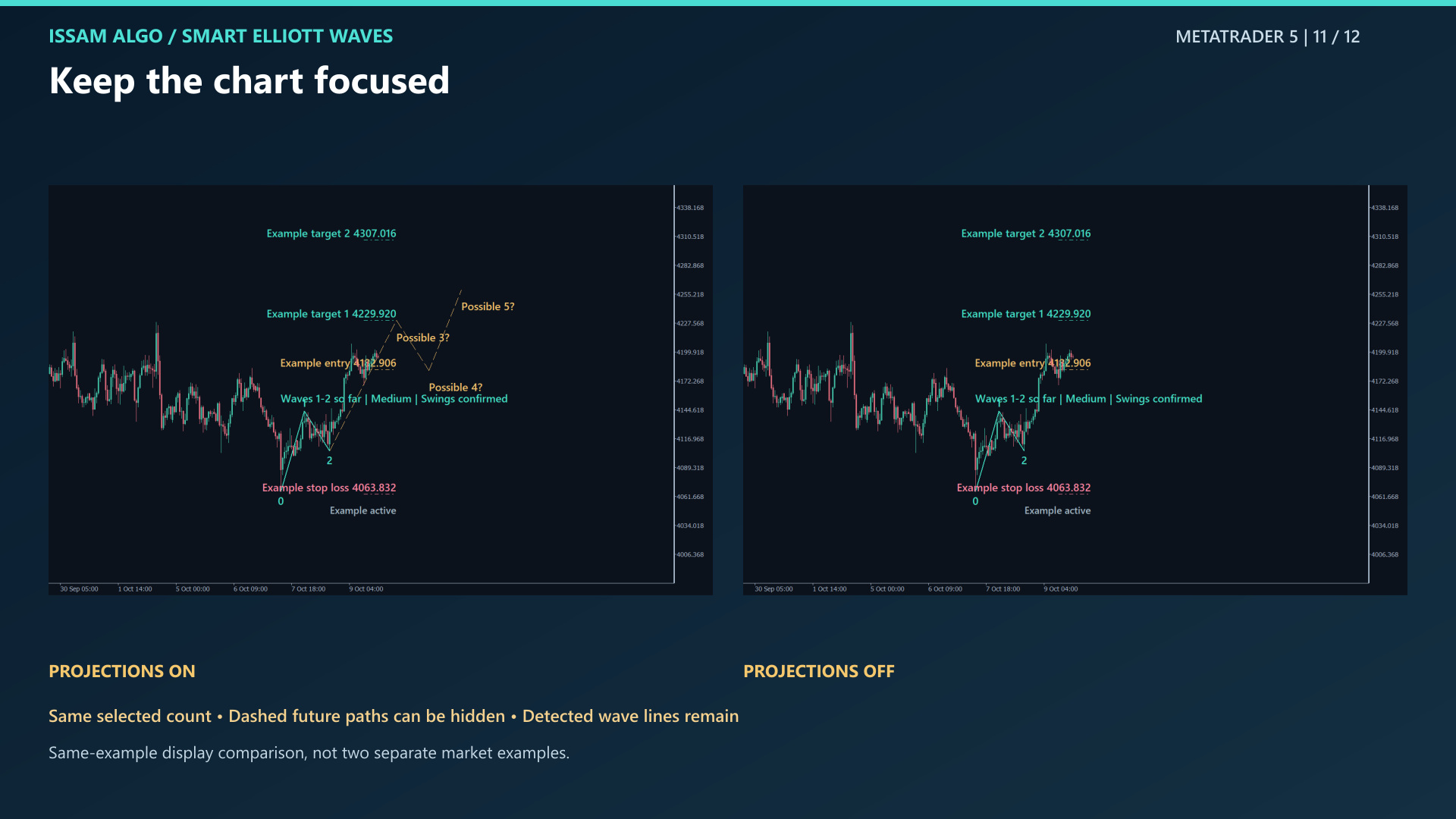
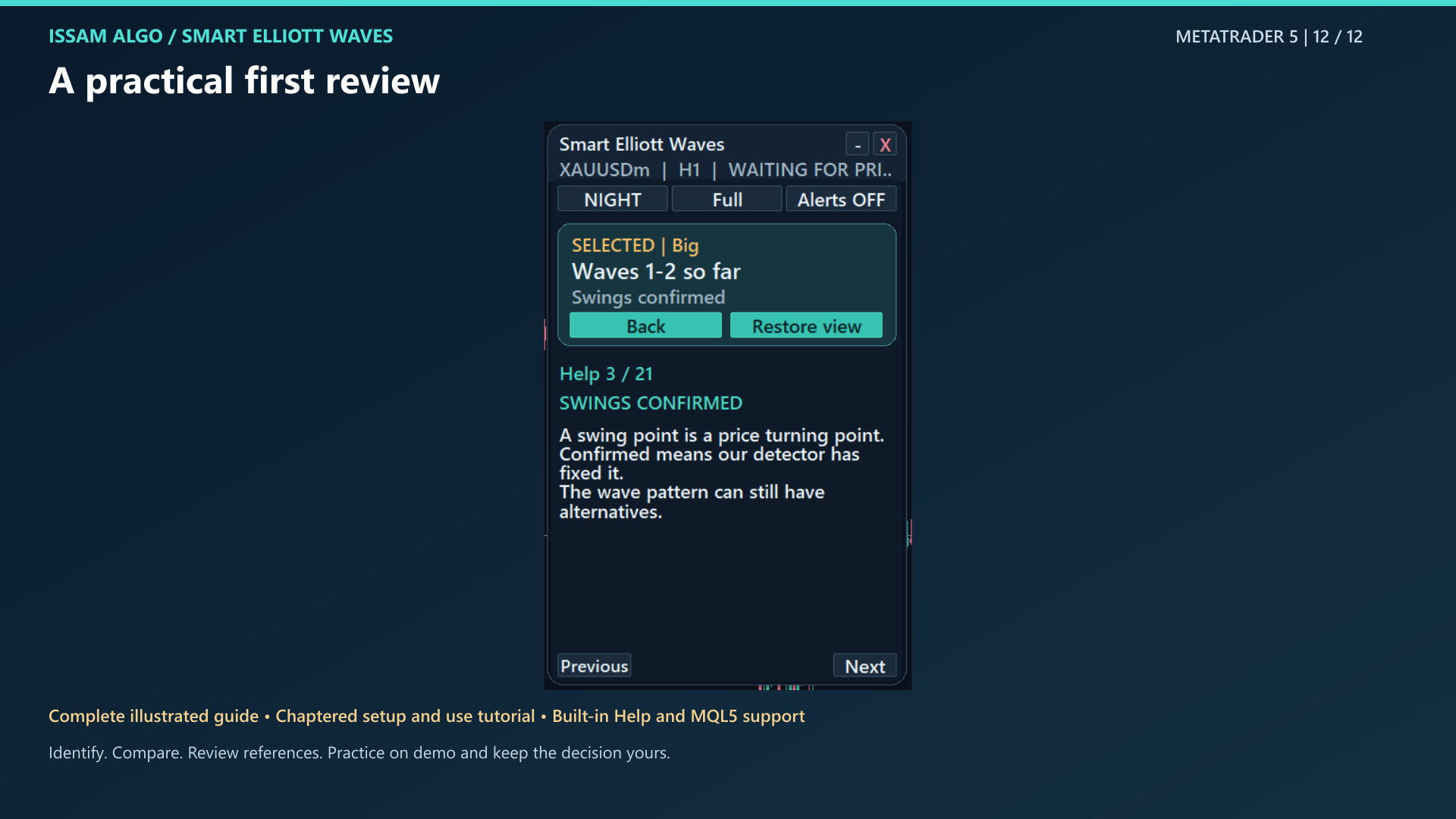
Message Issam on MQL5 ↗Explore the selected pattern, its state and relevant settings. These chart examples explain the product; they are not trading-performance evidence. Select an image to enlarge it.
Message me and I’ll help you get everything running.