
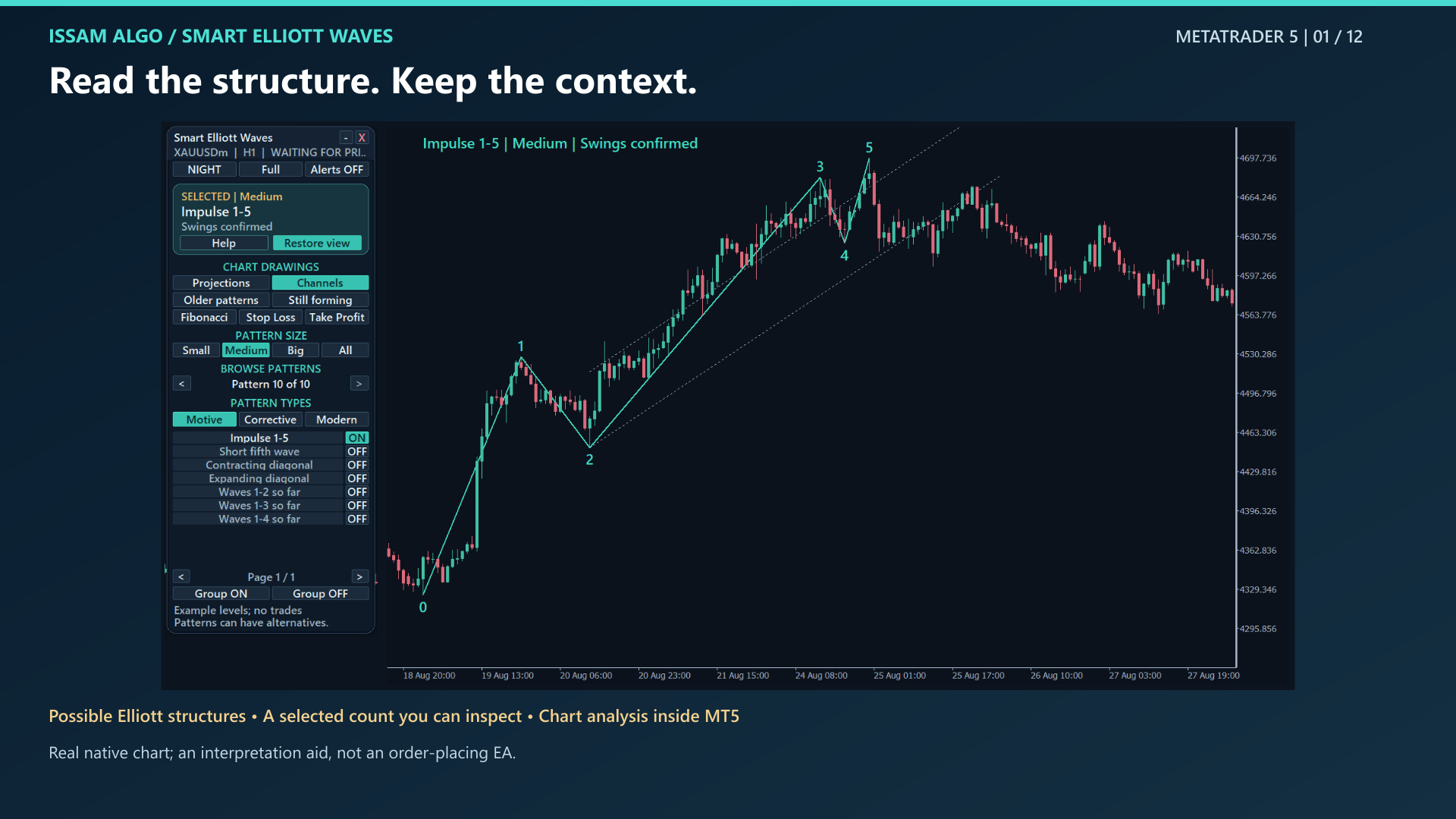
SMART ELLIOTT WAVES / METATRADER 5Read the waves.
Read the waves.
Keep the context.
Explore possible Elliott wave structures directly on your chart. Compare alternative counts, distinguish confirmed turning points from a forming swing, and keep hypothetical paths clearly in view.
MetaTrader 5 · version 1.00US$99One-time purchase · US$30 for a one-month rental
22selectable types3relative sizes21in-product Help lessons
MT5 desktop · Visual analysis indicator · No order execution
Twelve views of the workflow.
Explore the selected pattern, its state and relevant settings. These chart examples explain the product; they are not trading-performance evidence. Select an image to enlarge it.
Choose the patterns you study.
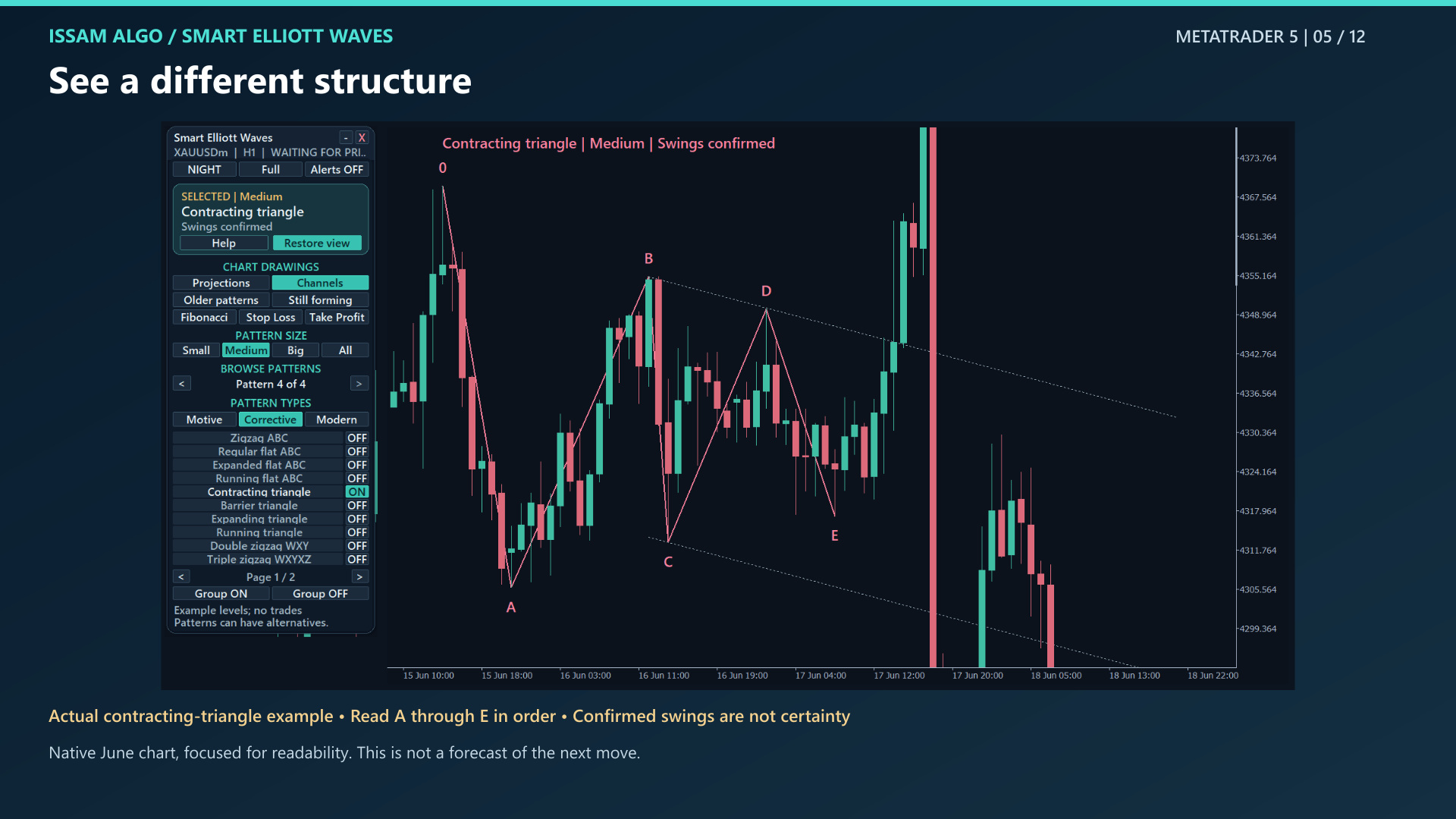
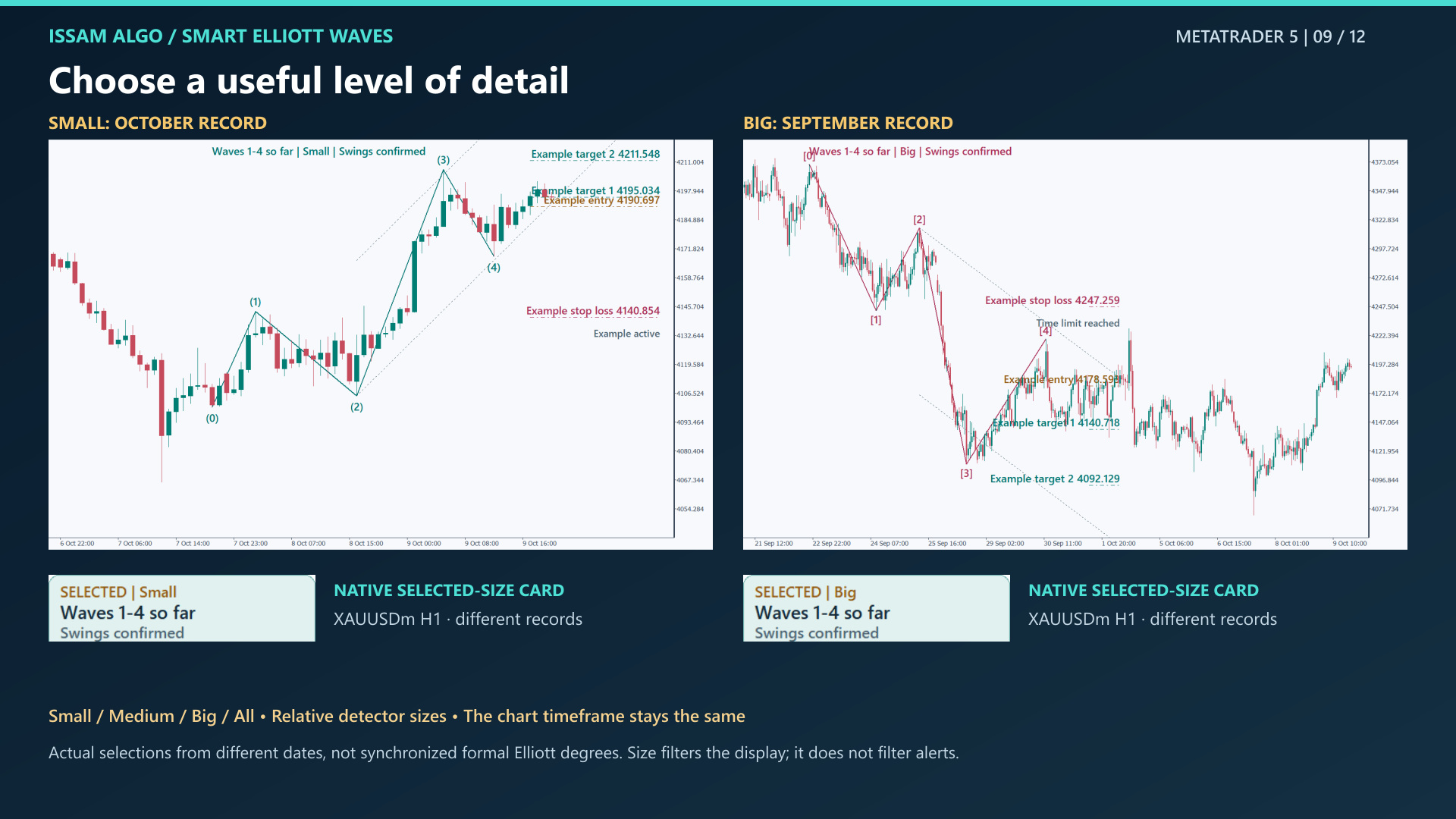
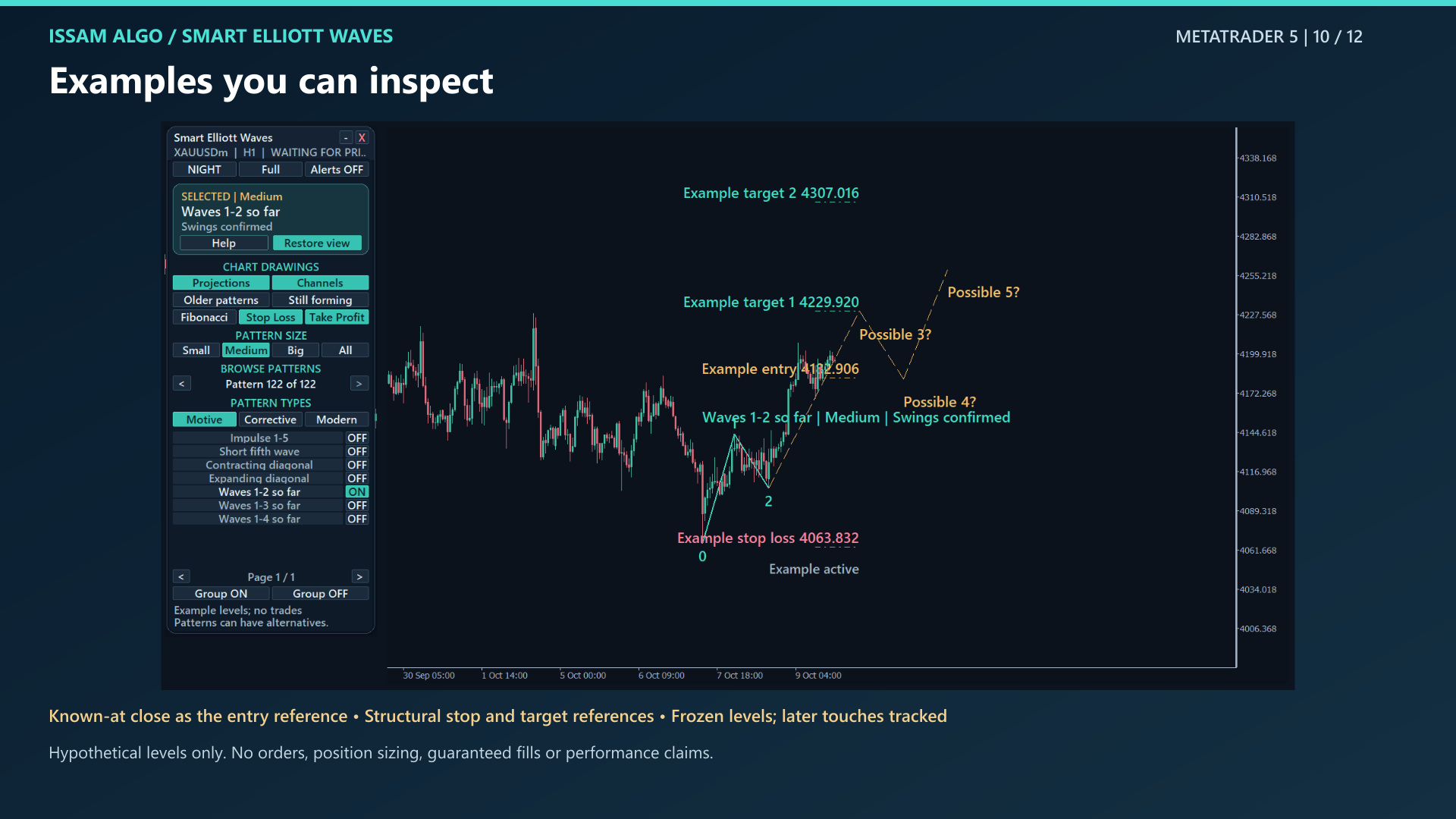
Browse 22 selectable types across Motive, Corrective and Modern. Use Small, Medium, Big or All to filter relative detector size.
Keep the interpretation in context.
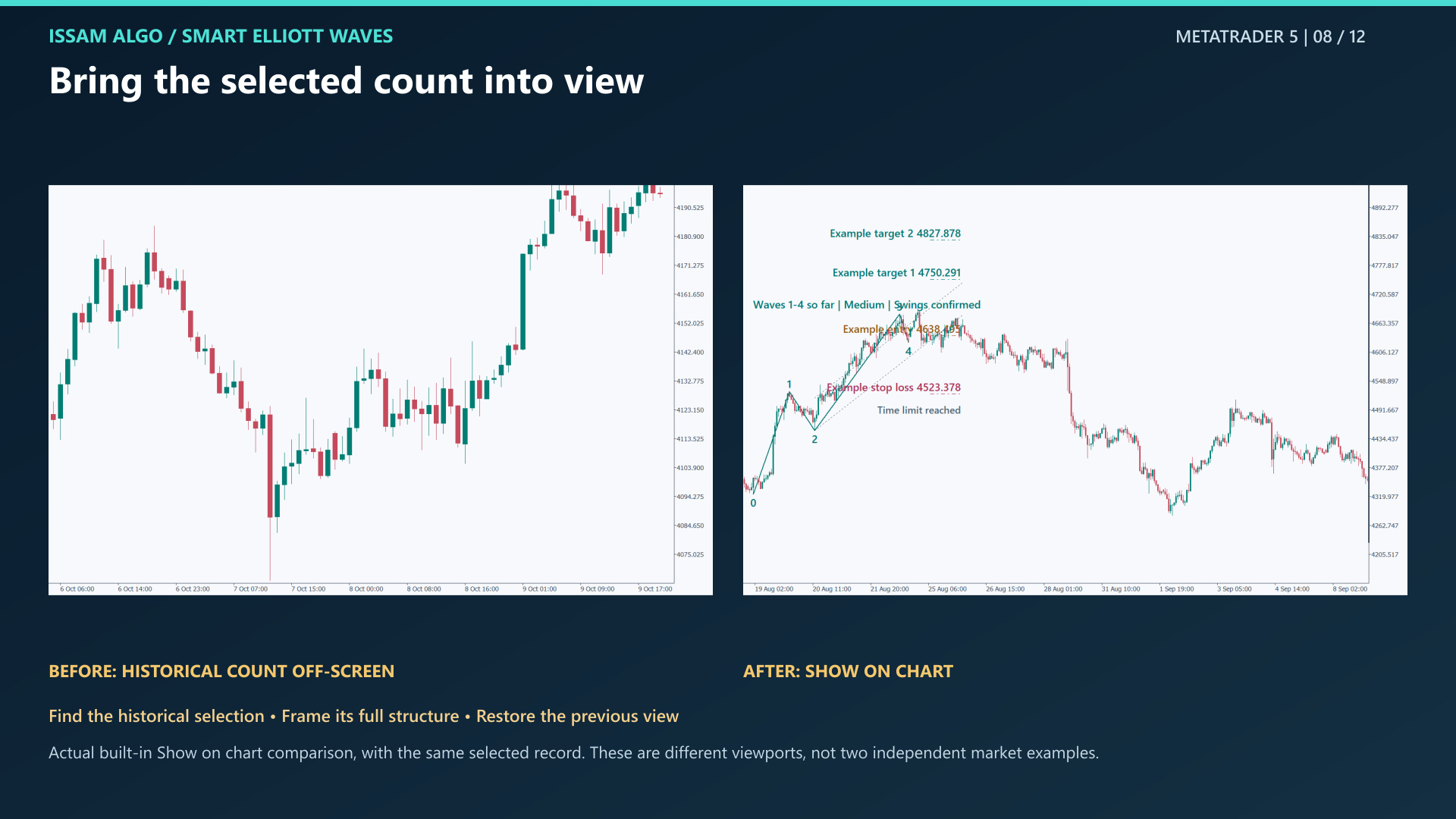
Inspect the selected structure, its confirmed or forming swing state, and older or alternative counts. Show on chart brings the selected pattern into view.
Control what you see.
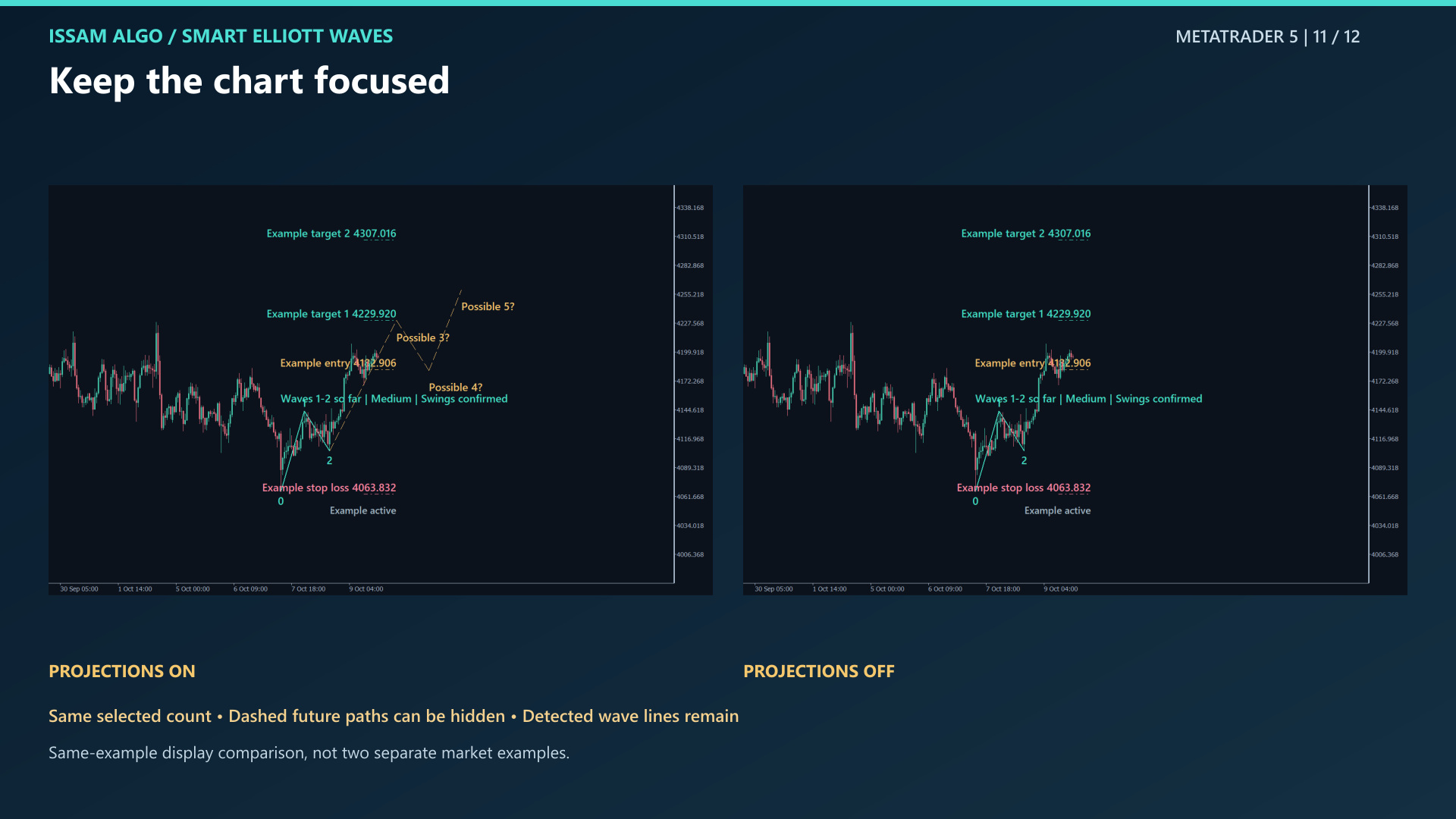
Use day/night themes and Full, Standard or Compact layouts. Switch projections, channels, Fibonacci and available example levels independently.
Choose a family.
Inspect its possibilities.
Full structures, partial sequences and corrections are separate selections. Pattern labels are analysis candidates, not certainty about the next price move.
Motive
Full and partial motive structures.
- Impulse 1–5
- Short fifth wave
- Contracting diagonal
- Expanding diagonal
- Waves 1–2 so far
- Waves 1–3 so far
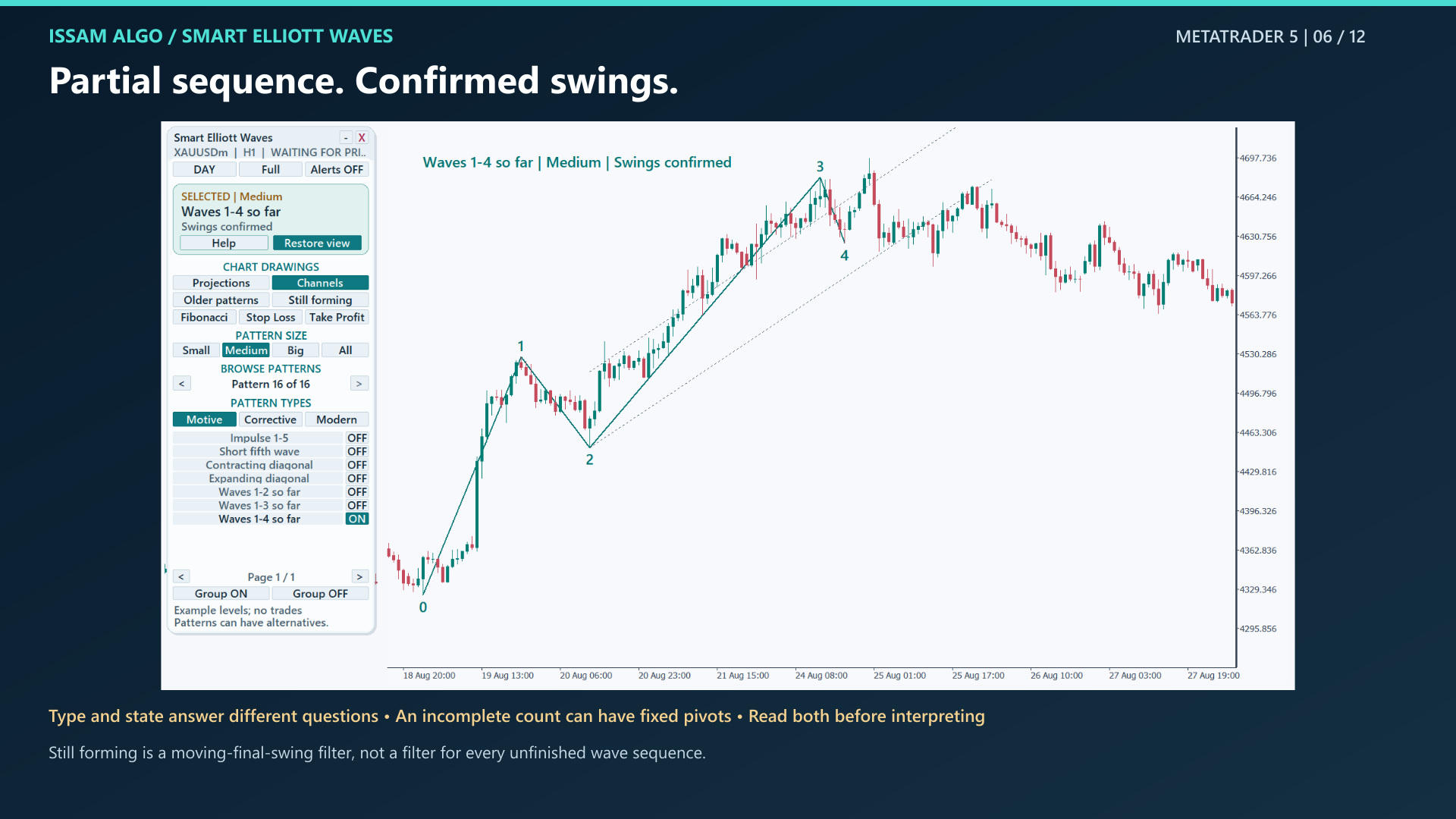
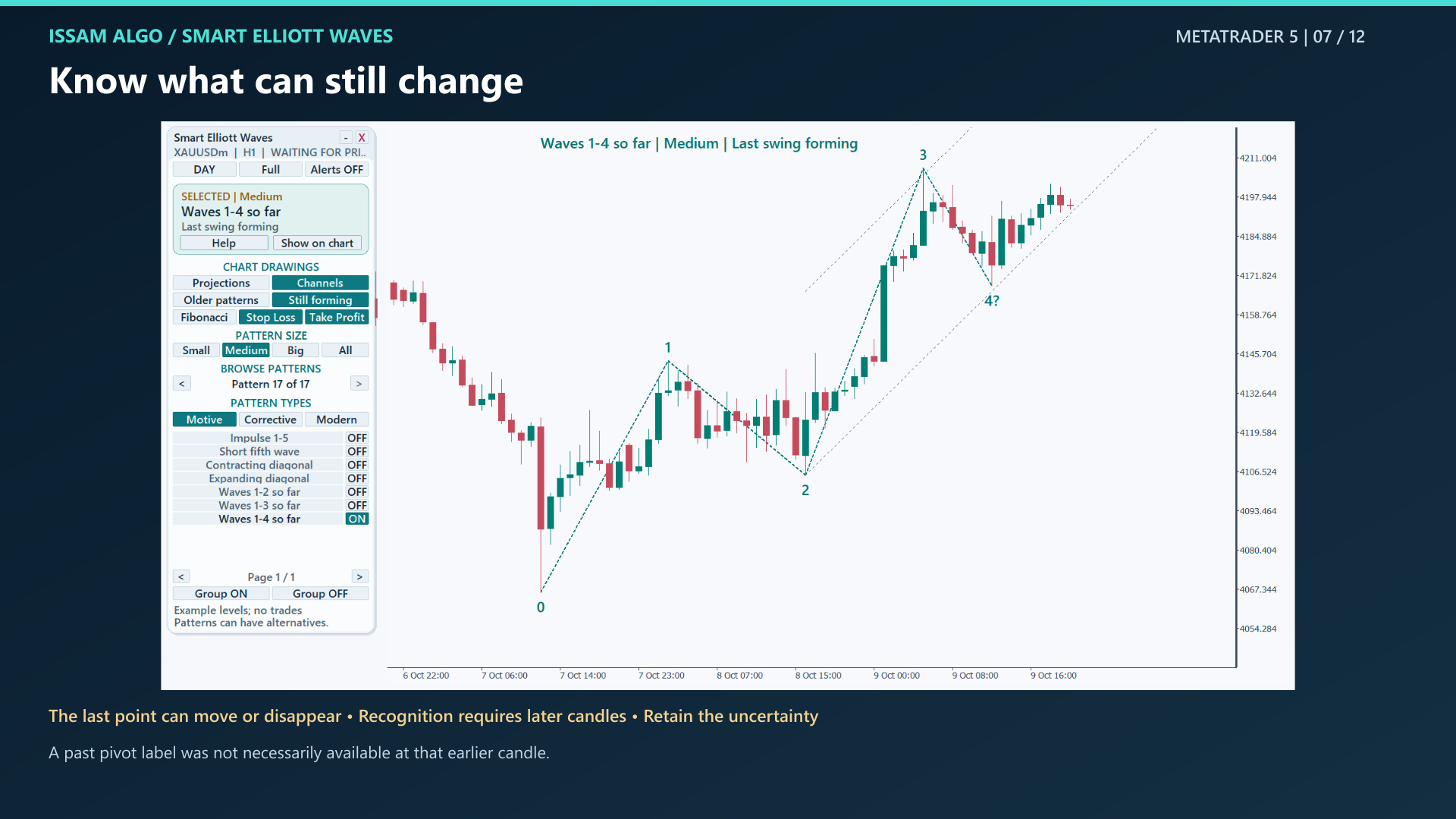
- Waves 1–4 so far
Corrective
Simple corrections, triangles and combinations.
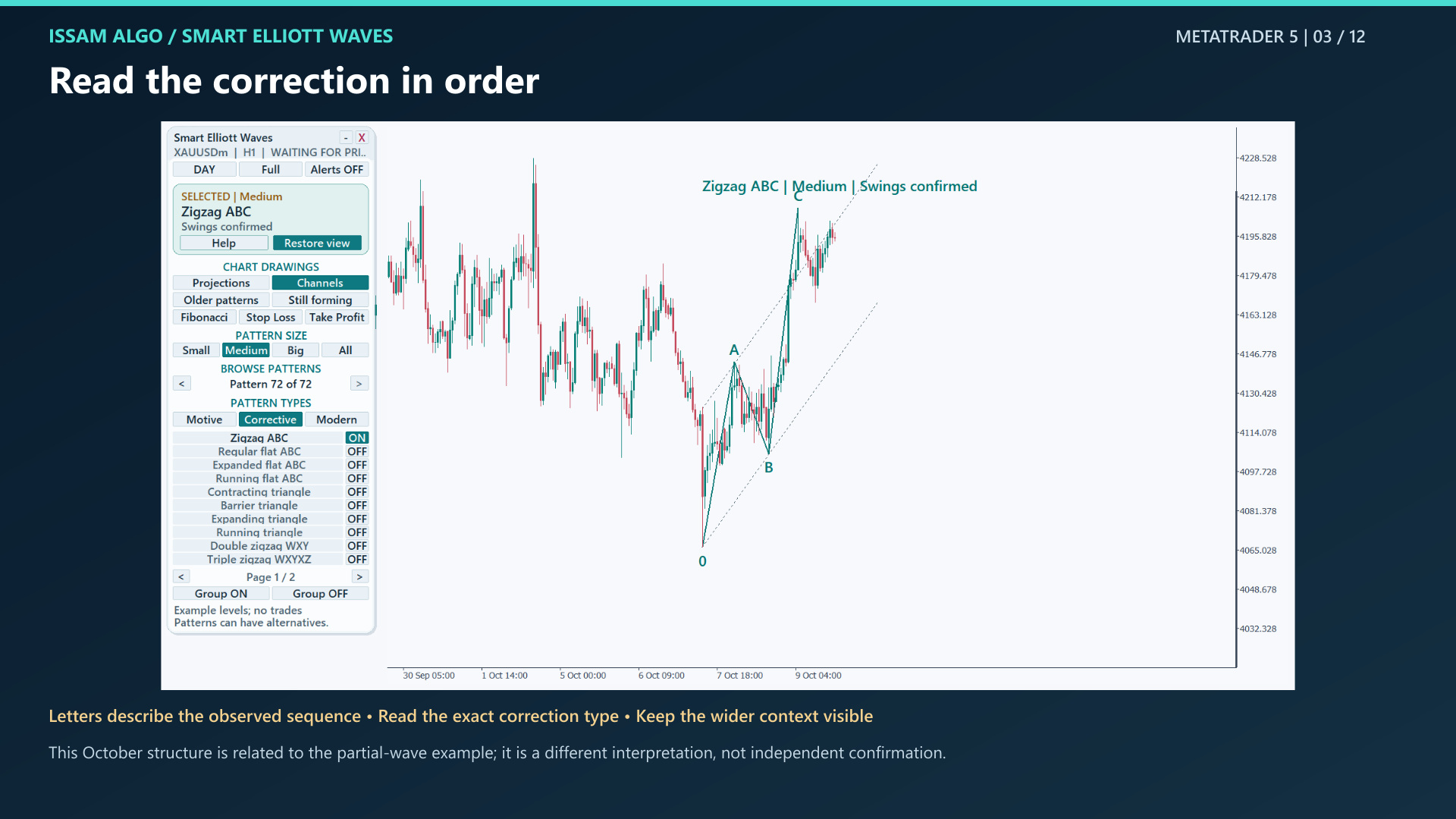
- Zigzag ABC
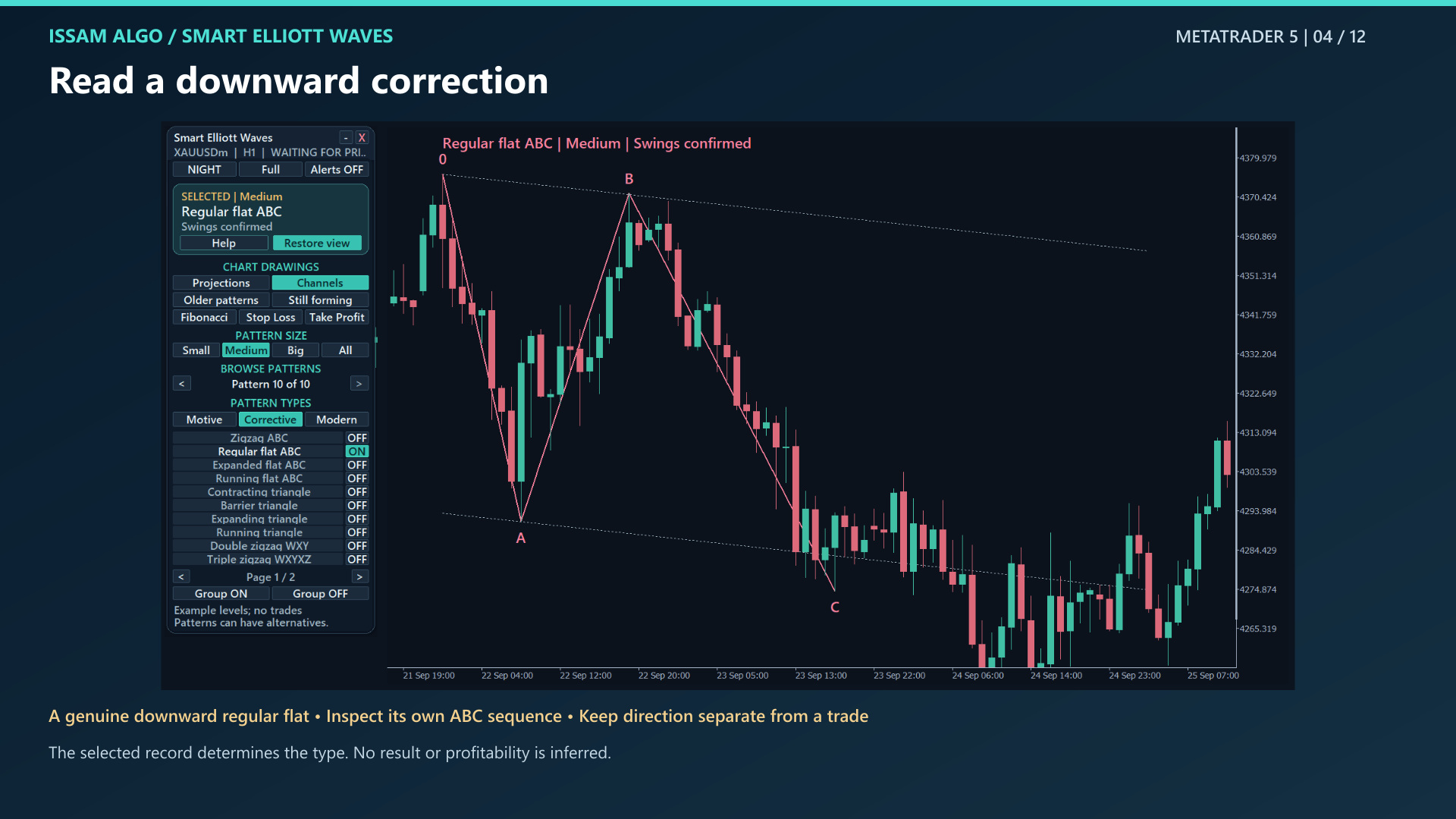
- Regular flat ABC
- Expanded flat ABC
- Running flat ABC
- Contracting triangle
- Barrier triangle
- Expanding triangle
- Running triangle
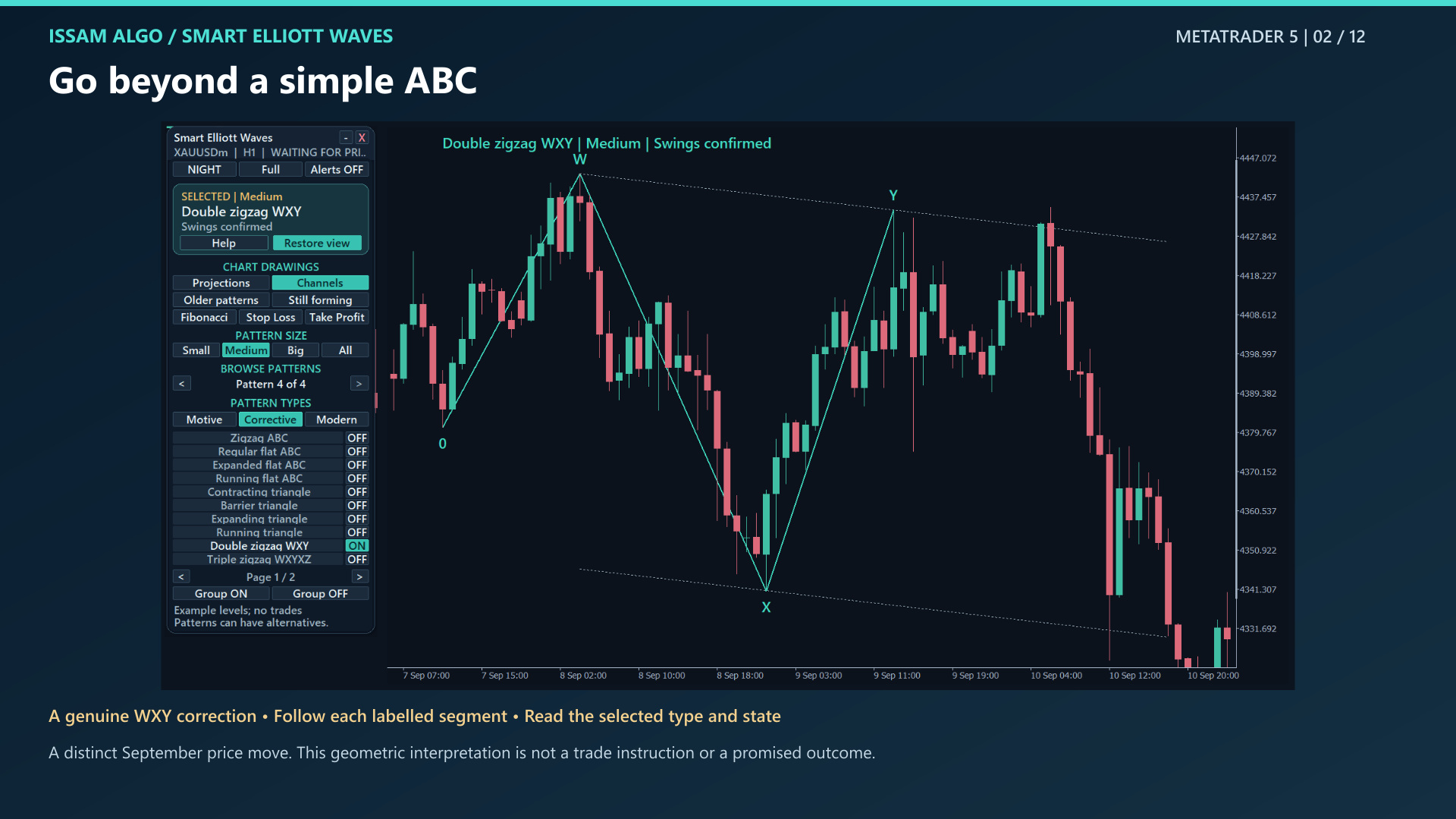
- Double zigzag WXY
- Triple zigzag WXYXZ
- Double three WXY
- Triple three WXYXZ
Modern
Experimental shapes; off in the default Classical pattern set.
- Neutral
- Diametric
- Symmetrical
Confirmed swings ≠ a completed wave sequence.
“Waves 1–2 so far” can have confirmed turning points while the sequence remains incomplete. “Last swing forming” means its final turning point can still move or disappear. New data and analysis settings can change the result.
“Waves 1–2 so far” can have confirmed turning points while the sequence remains incomplete. “Last swing forming” means its final turning point can still move or disappear. New data and analysis settings can change the result.
LEARN THE WORKFLOWSMART ELLIOTT WAVES · 1:58 · 4 CHAPTERS SMART ELLIOTT WAVES · 10:27 · 12 CHAPTERS
Your guide and tutorial.
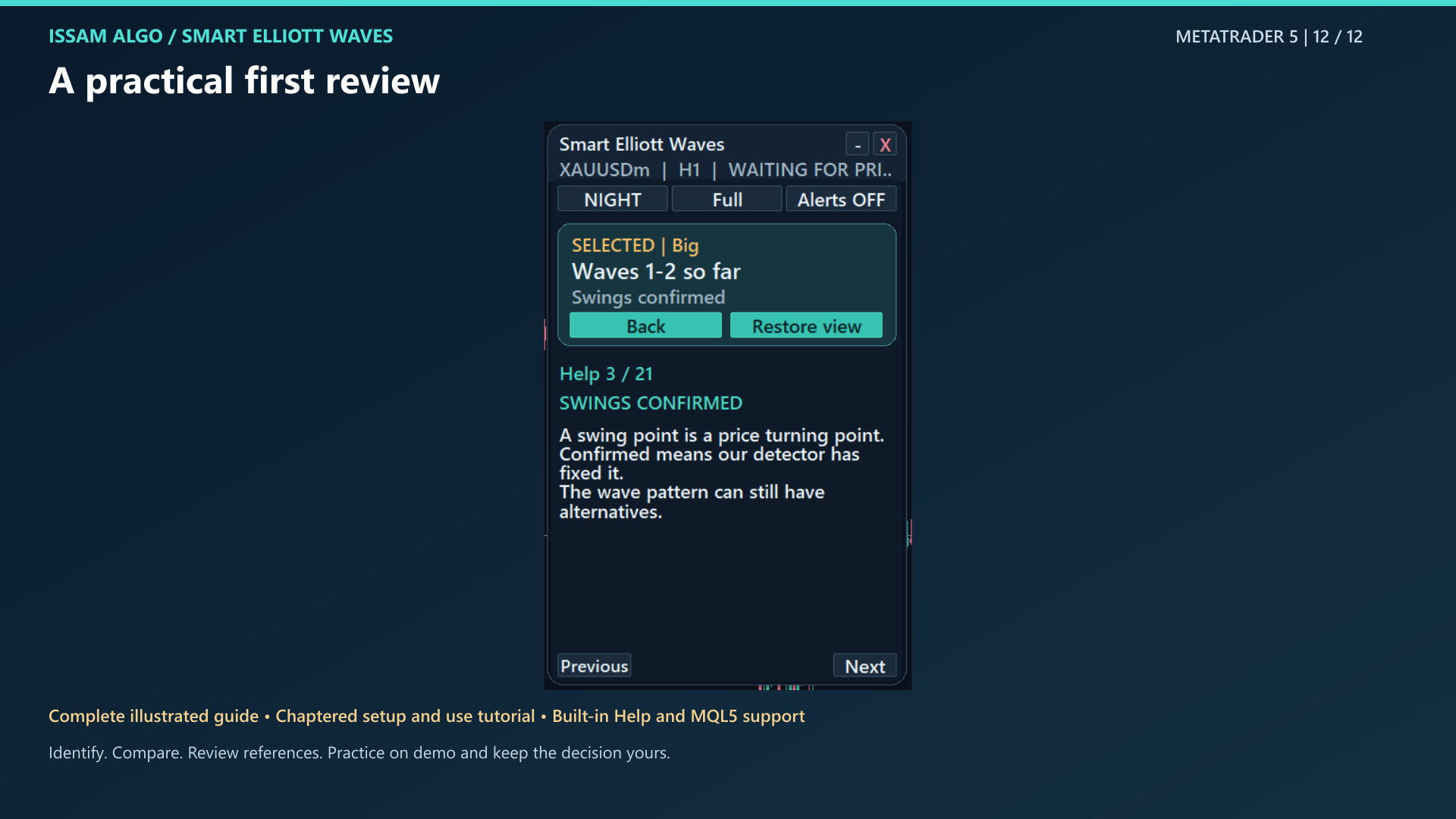
Follow installation, panel settings, wave states and worked examples at your own pace.
PDF GUIDE · 38 PAGES
Illustrated user guide
Installation, settings, worked examples, all 43 Inputs and limitations in one illustrated guide.
Product introduction
Select a chapter, then press play in the video.
Watch on YouTube ↗ · English captions available.
Complete product tutorial
Select a chapter, then press play in the video.
Watch on YouTube ↗ · English captions available.
Included after purchase
Message me on MQL5 after purchase to receive Smart Universal Expert Advisor for FREE, plus the online course, PDF manual, and private group access.
Your guide and tutorial open directly above. The gift is a separate Expert Advisor; it does not establish tested Smart Elliott Waves automation compatibility.
See your welcome packageYOUR MT5 WORKSPACE
Smart Elliott Waves for MT5.
Get the complete wave-analysis workspace, illustrated guide and video tutorial. Choose a US$99 purchase or US$30 one-month rental, with 20 MQL5 activations.
The public MQL5 listing is not available yet. Contact Issam for release availability; this page does not accept payment.
US$99One-time purchase
US$30 · one-month rental
20 MQL5 activationsMQL5 purchase availability pending.
Contact Issam before purchasing.
US$30 · one-month rental
20 MQL5 activationsMQL5 purchase availability pending.
Contact Issam before purchasing.
How does swing confirmation work?
The detector waits for enough closed candles and subsequent opposite swings to fix turning points. Labels can therefore appear on earlier candles after recognition. Small, Medium and Big are relative detector sizes, not formal Elliott degrees. Smaller-wave evidence is partial and parent placement is not fully verified.
What do projections and example levels mean?
Dashed projections illustrate possible future paths, not predicted arrival dates. Eligible structures can show an example entry, stop loss and targets. Entry refers to the close when the plan becomes known, not the earlier turning-point price. Some structures have no example plan. These levels are hypothetical; no trades are placed.
If stop and target touch in the same candle, the indicator can show “Touch order unknown.” It does not turn that uncertainty into a claimed win.
How do I navigate the patterns?
Left browses older endpoints; right browses newer ones. Pattern 1 is oldest and N is newest. Alternatives can share a date. Show on chart frames your selection; Restore view returns to the previous view. Group ON/OFF applies to all pages of the selected family.
How do settings and alerts work?
Use Ctrl+I, select Smart Elliott Waves, then Properties (or Edit) → Inputs. Remembered panel choices can override starting choices. Master Alerts starts off. Configure your MT5 notification or email channels before enabling them. Alert scanning can include enabled types at sizes other than the displayed size.
Does it automate trades or guarantee an outcome?
No. It is an interpretation aid, not an Expert Advisor, a win-rate predictor or an exhaustive certification of Elliott wave rules. Experimental Modern types start off. The included Smart Universal Expert Advisor gift is separate; tested automation compatibility with this indicator is not established. Practice on demo and consider the uncertainty of every count.
THE EDUCATION COLLECTION
Read it. Watch it. Put it into practice.
Educational content access. Trading software, signals, coaching and subscriptions are separate.
All included books$9.99 USDOne-timeAll included courses$19.99 USDOne-timeBooks + courses$14.99 USDSave 50% versus buying both separately
Standalone collections total $29.98. The bundle intentionally costs less than courses alone. See exactly what is included and access availability.