
Receive.
Read supported text and embed signals from a channel your bot can access. Set source-author filters and choose whether to accept other bots or webhooks.
Connect Discord signals, custom indicators and private trade commands to MetaTrader 5. Configure the workflow from your on-chart dashboard.
Available through MQL5.
MT5 desktop · Your own Discord bot · No separate connector or DLL
Publish. Receive. Control.By Issam Algo
12 illustrated workflows with genuine dashboard and private demo-channel captures. Signal publication alone does not confirm a broker fill.
Read supported text and embed signals from a channel your bot can access. Set source-author filters and choose whether to accept other bots or webhooks.
Share signals from custom indicators A and B, or confirmed MT5 trade activity. Publication and execution have separate switches.
Use private commands for status, entries, stop changes, partial or full closes and pending cancellation. Pair your operator and choose the eligible trade scope.
Follow bot creation, channel permissions, the dashboard and your first demo test.
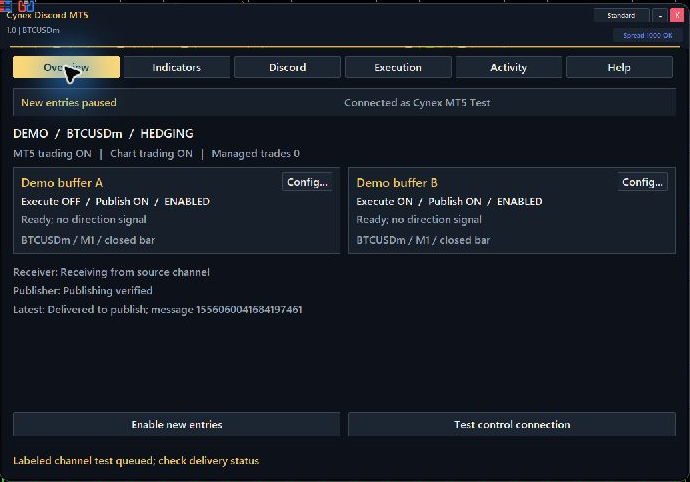
Overview, Indicators, Discord, Execution, Activity and Help keep everyday settings in one place.
Use MT5 desktop. Attach Cynex and allow https://discord.com in Tools, Options, Expert Advisors, WebRequest. Keep new entries paused.
Use the Discord Developer Portal, enable Message Content Intent and install your bot in the intended server. Give it only the channel permissions it needs.
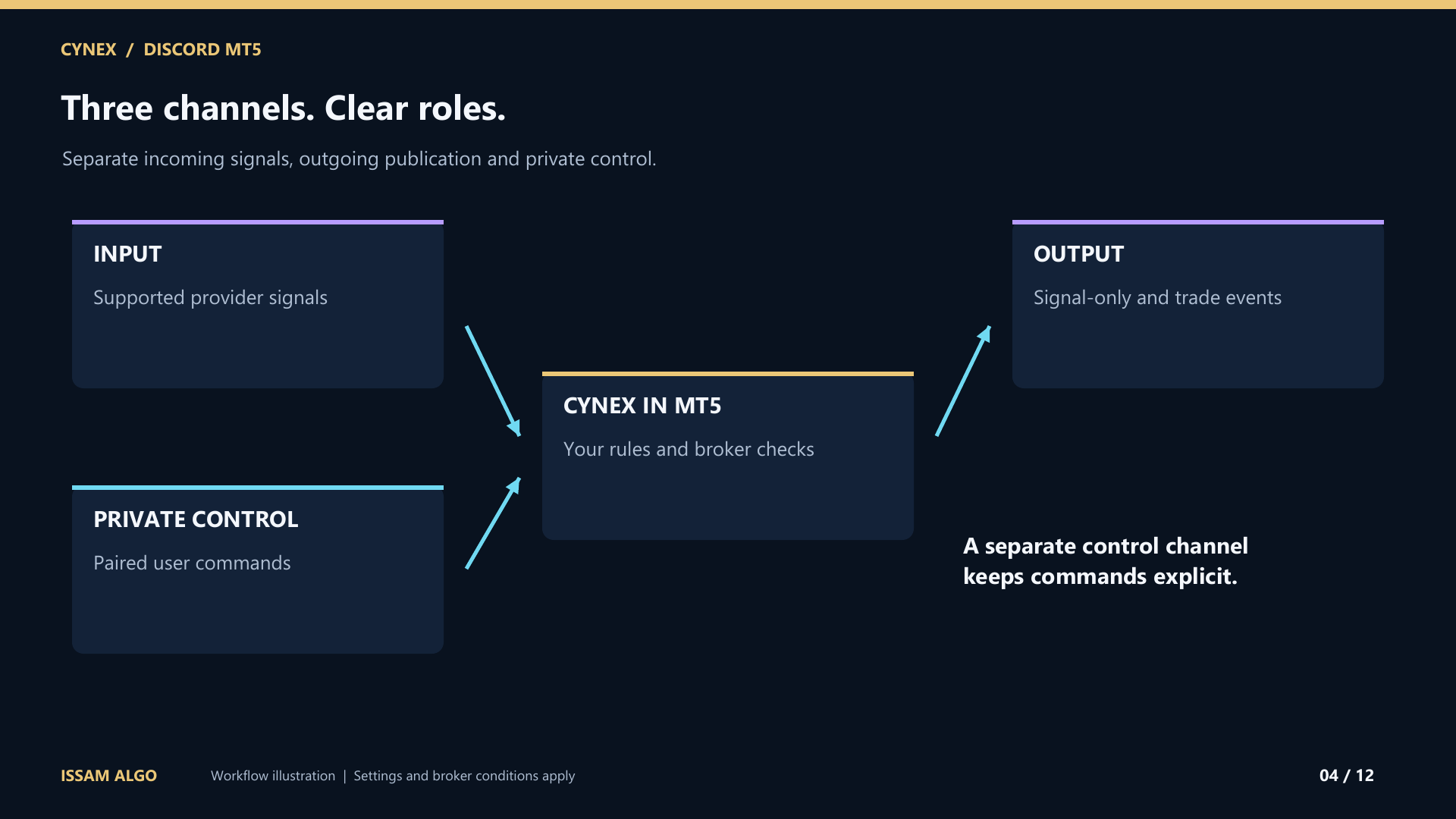
Use separate input, output and private-control channels. Enable Discord Developer Mode to copy the channel IDs. Enter the full bot token or import a local token file; never share the token.
Connect the bot, use the displayed pairing code in private control, and review lots, protection, symbols and optional limits. Preview indicators A and B before enabling their independent routes.
Test a status reply and a channel post. Enable both MT5 Algo Trading permissions and Cynex execution before a small demo order. Verify its broker fill, modification and closure, then pause entries.
Get the PDF guide, online course, MQL5 channel access and personal setup assistance. Smart Universal Expert Advisor is included FREE as an optional gift.
After purchase, message Issam privately on MQL5 for the PDF guide, online course, MQL5 channel access, setup help and your free Smart Universal Expert Advisor gift. Follow the welcome page for the separate gift process. No review is required.
No. This version connects through the bot API inside MT5. There is no separate connector, DLL or external subscription. MT5 must remain running and connected; polling and network latency affect response time.
Use structured BUY or SELL messages with a broker symbol and supported LOT, SL, TP and ENTRY fields. Supported embed text can also be read. Screenshots, OCR, entry ranges, multiple targets and arbitrary free-form messages are not parsed.
Use indicators with compatible numeric buffers and input types. A and B have independent paths, symbols, timeframes, parameters and buffer mappings. Test / Preview reads the saved configuration without executing or publishing. Chart objects alone are not signals.
Configure default lots, optional maximum volume, trade count and estimated stop-loss amount checks, spread, deviation, symbol aliases, protection and pending expiry. The estimated-loss check is a limit, not a percentage-risk sizing calculator. Broker rules apply.
New entries start paused. Saved settings and durable records support recovery and duplicate suppression. After an uncertain post, recent history is checked for its delivery receipt. Unresolved work stays visible for review. Session-only tokens clear on reinitialization; optional Remember token storage is readable locally.
Use your own supported bot with Message Content Intent and appropriate channel access. Personal user tokens are not supported. Keep provider input separate from private control. Strategy Tester cannot demonstrate live Discord messaging.
Verify your broker, symbols, volume, stops and indicators on demo. On netting accounts, mixed ownership can prevent independent control of a combined position. Confirm actual fills and closures rather than relying on a signal post.
Educational content access. Trading software, signals, coaching and subscriptions are separate.
Standalone collections total $29.98. The bundle intentionally costs less than courses alone. See exactly what is included and access availability.