
Publish.
Send signals from custom indicator A or B to your channel. Choose publication, private execution, or both for each indicator.
Connect your indicators, channels and private bot chat to MetaTrader 5. Configure your workflow from one on-chart dashboard.
MT5 desktop · Your own Telegram bot · No DLL or separate connector
Publish. Receive. Control.By Issam Algo
12 product walkthroughs using demo examples. Signal publication does not confirm that an order was filled.
Send signals from custom indicator A or B to your channel. Choose publication, private execution, or both for each indicator.
Turn supported BUY and SELL channel messages into MT5 orders using your own sizing, symbol mapping and execution settings.
Check status, pause entries and manage supported trades from your authorized private bot chat.
Start with the Cynex 1.0 walkthrough: Publish, Receive and Control.
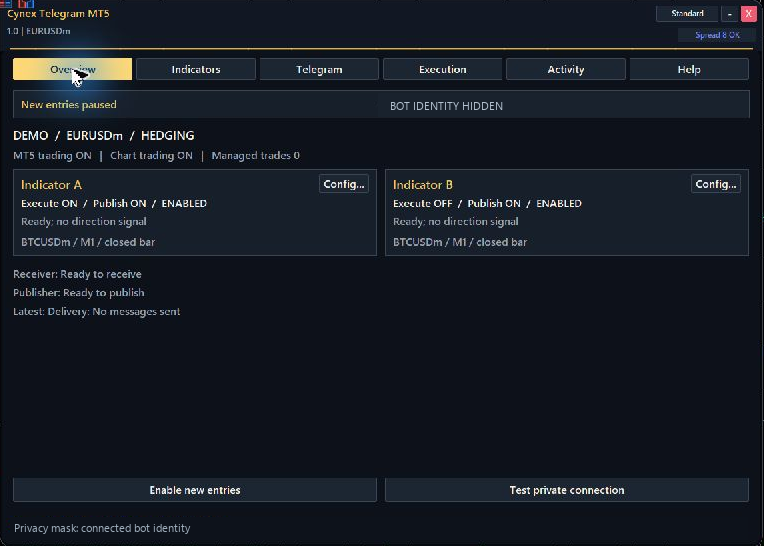
Overview, Indicators, Telegram, Execution, Activity and Help keep the setup in one place.
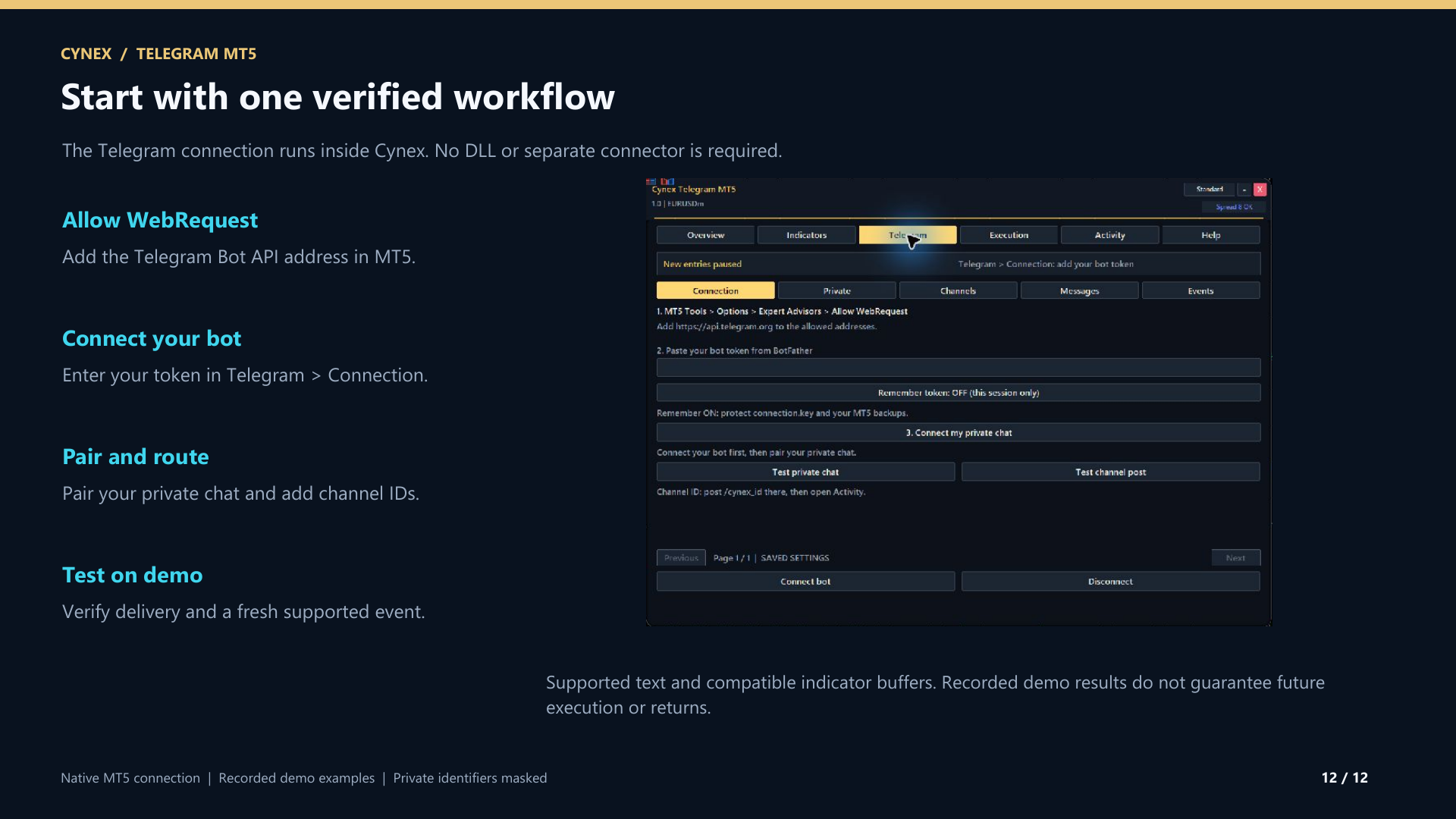
Create a dedicated bot, allow the Telegram API in MT5 and enter your bot and chat details.
Set indicator A/B buffers, a source channel or a publishing destination. Give the bot the permissions each route needs.
Save settings, test the connection and preview your indicator buffers. Check execution settings on a demo account before enabling entries.
Start the online course here and open the PDF guide. After your purchase, message Issam on MQL5 for MQL5 channel access, setup assistance and your Smart Universal Expert Advisor gift.
After purchasing Cynex Telegram MT5, follow the welcome page and message Issam privately on MQL5. Include your purchase details, MT5 broker name and trading account number for the separate gift activation. No review is required to receive the gift. Smart Universal EA is an optional bonus; Cynex connects directly to Telegram on its own.
Follow the bonus stepsUse custom indicators with readable numeric buffers. Incoming channel messages support clear BUY/SELL text with a symbol and optional LOT, SL, TP and ENTRY fields; your dashboard sizing and protection settings apply. Images, voice, entry ranges, multiple targets and free-form prose are not parsed. Indicators and signal subscriptions are not included.
Keep MT5 desktop running and connected. Allow the Telegram Bot API address in MT5 WebRequest settings and use your own bot with numeric chat/channel IDs. The source channel owner must grant your bot access. Publishing needs posting permission, and source and destination channels must differ. Trade execution requires MT5 Algo Trading permissions and enabled entries in Cynex.
New entries pause. Check your settings and deliberately enable them again when ready. Publishing and authorized trade management have separate controls. Test / Preview reads active indicator buffers without trading or publishing.
Watch Lesson 1 on this page or your welcome page. The PDF and illustrated starting steps are available alongside the course. Message Issam on MQL5 for help with your configuration.
Educational content access. Trading software, signals, coaching and subscriptions are separate.
Standalone collections total $29.98. The bundle intentionally costs less than courses alone. See exactly what is included and access availability.