
Try it on demo.
See it for yourself.
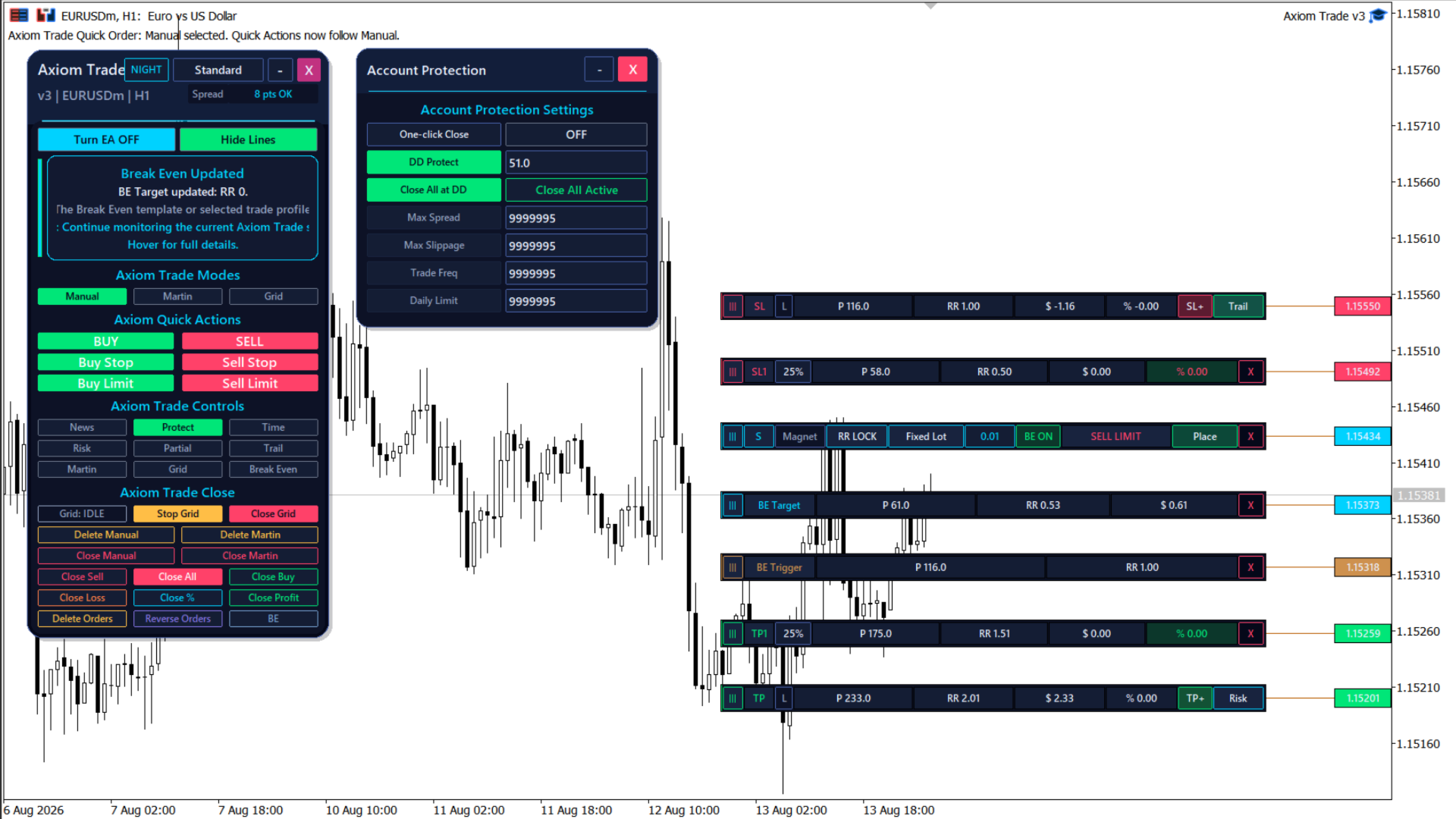
Place trades, set your risk and manage positions directly on your MT5 chart. Axiom Trade brings it all into one visual panel.
Version 4 · MT5 EX5 · 2057 KB
Trade on demo accounts. On real accounts, the panel is visible but cannot open trades.
Practice as much as you need.No purchase required for the demo.
Download. Install. Try.
- 01
Copy the EX5 file.
In MT5, open File → Open Data Folder → MQL5 → Experts. Copy the downloaded EX5 file here.
- 02
Refresh and attach.
Return to MT5. In Navigator, right-click Expert Advisors → Refresh. Drag Axiom Trade onto a chart.
- 03
Try your first trade.
Log in to a demo account. Enable Algo Trading in MT5 and the panel’s settings, then follow the lesson below.
Use the MT5 desktop terminal. The panel does not run inside the MetaTrader mobile app.
One chart.
Your trade, from start to finish.
See how to place an order, set SL and TP, and manage your position.
Axiom Trade: free demo and launch offer
1 / 3Start here.
Choose an order type. Set your lot size or risk. Adjust your stop loss and take profit. Review the values, then place the trade.
Make Axiom Trade
part of your setup.
Get the full version for $30 today. The next price is $60 after the next 10 purchases.
Planned price steps: $30 → $60 → $90 → $99, every 10 purchases.
Purchase and activate the full version through MQL5.