
CTRADER / WINDOWS DESKTOP
Smart Trend Trading System
Trend direction, chart signals, reversal zones and tick-volume tools in one configurable analysis indicator.
Future product updates included
cTrader edition · v1.2 · licensed to your purchasing cTrader ID.
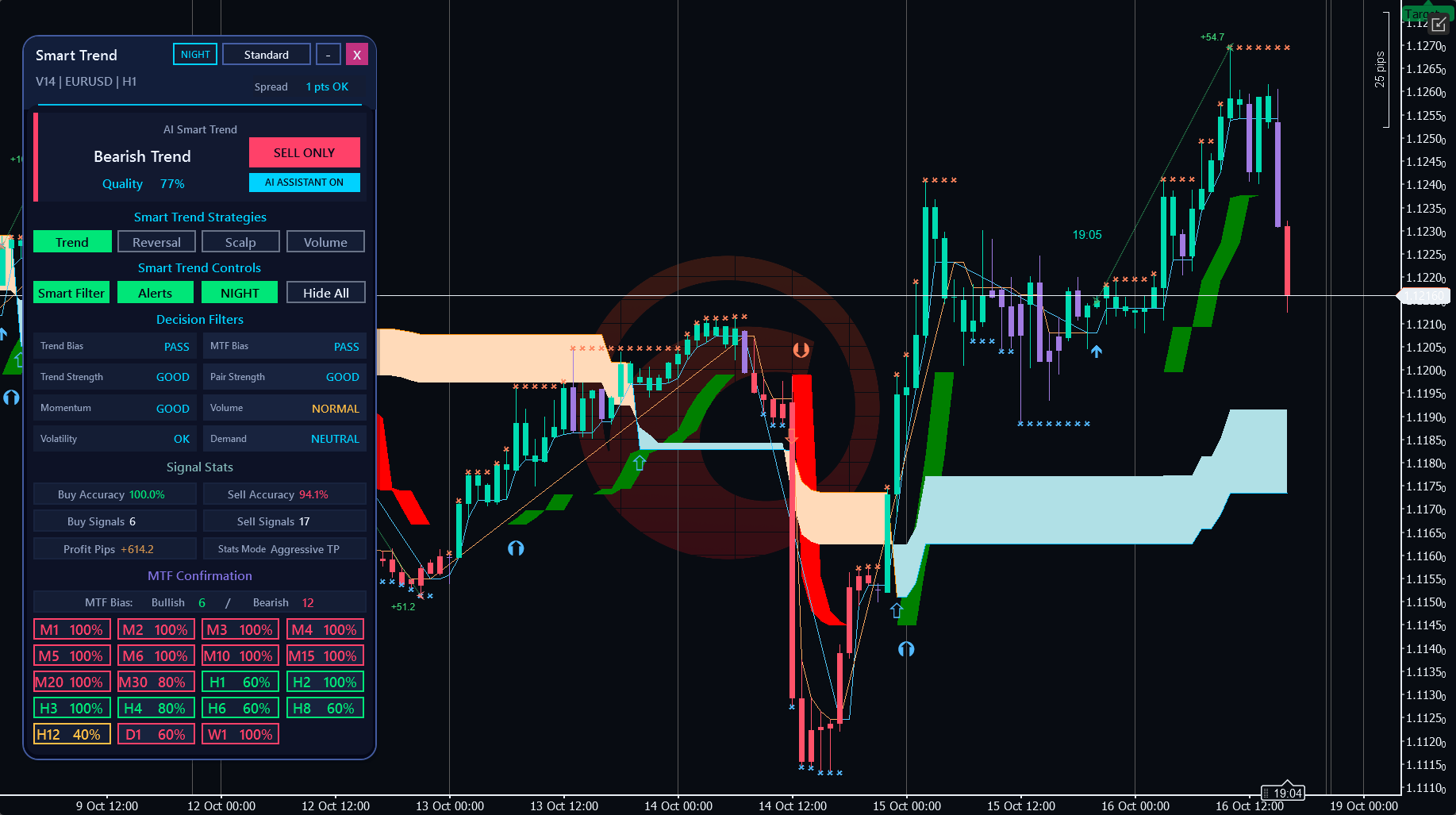
ON YOUR CHART
See the tools in context.
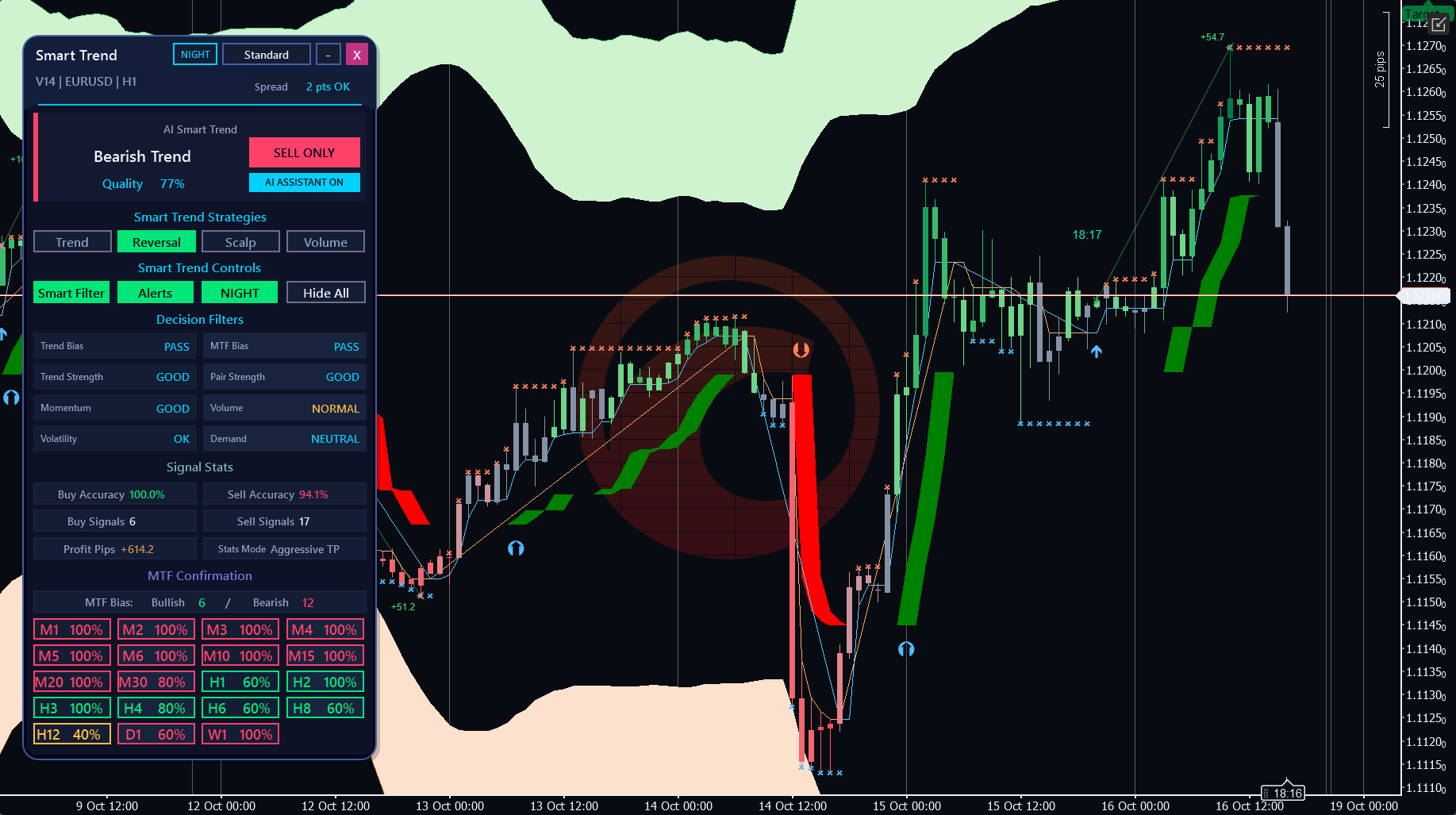
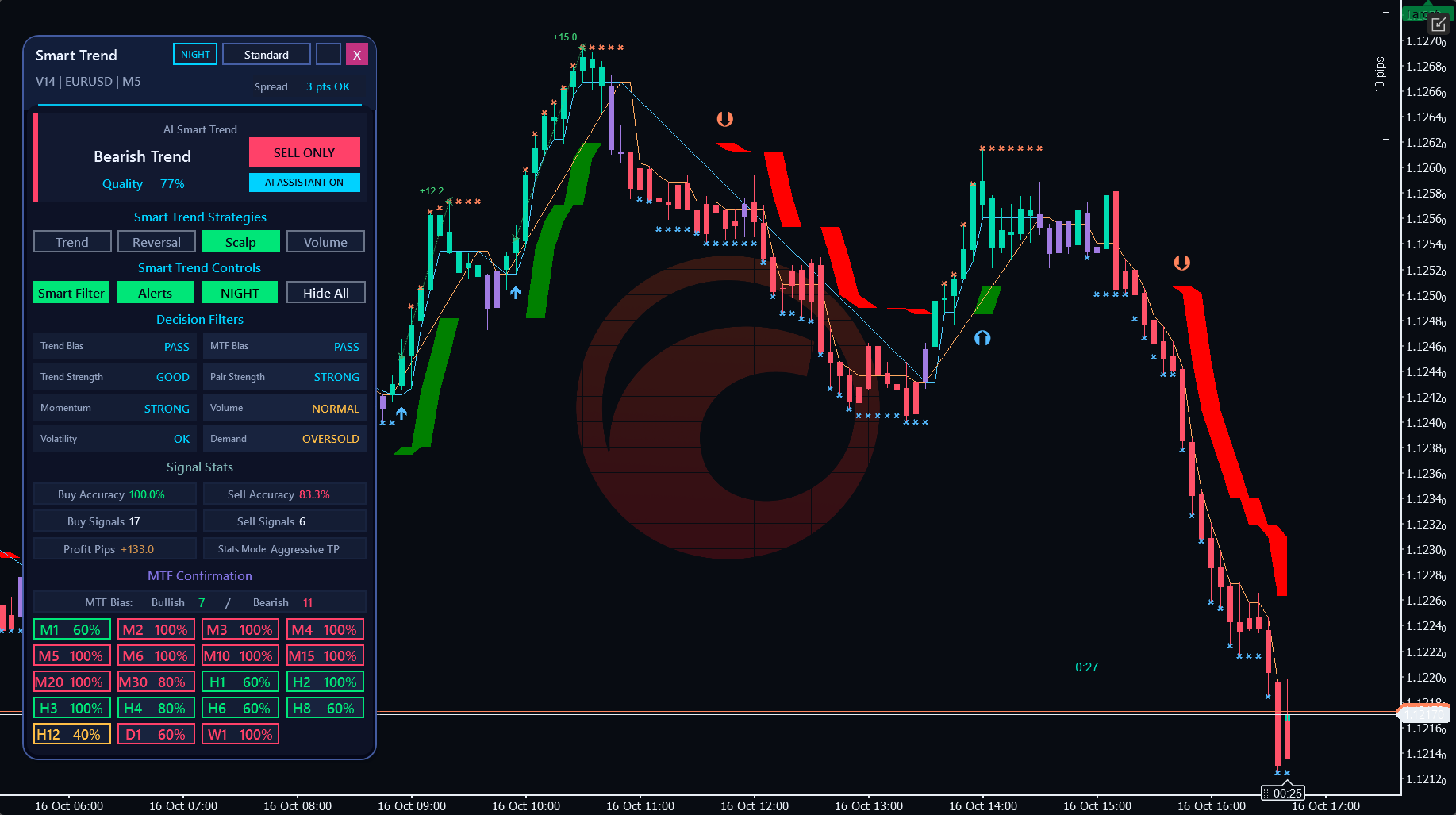
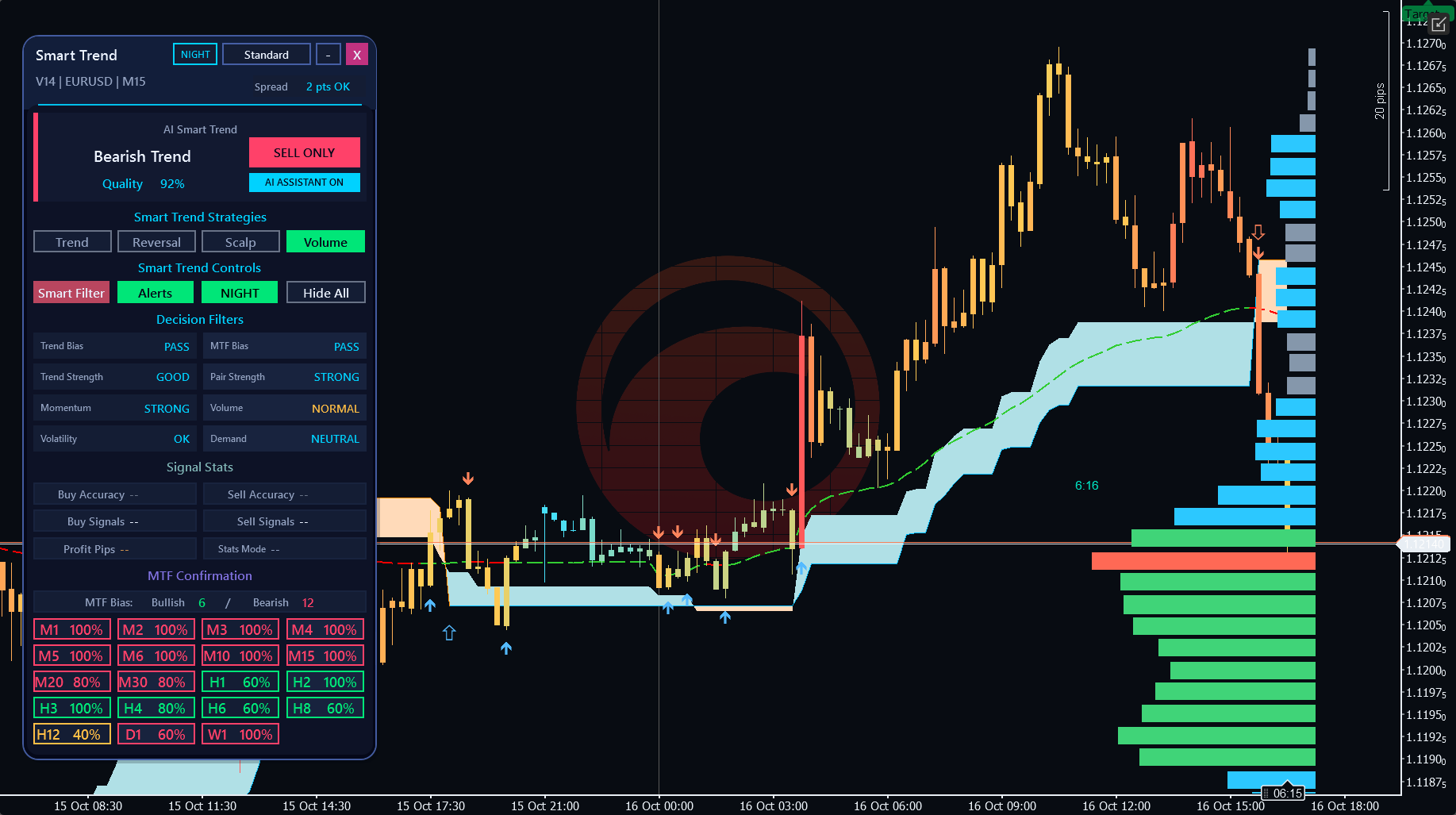
Authentic cTrader screenshots. Some show earlier builds; current controls may differ. Selected historical examples illustrate features, not audited returns or expected performance.
WHAT YOU CAN DO
Build your analysis.
Four approach categories: Scalping, Trend Trading, Reversal Trading and Volume Trading.
Entry/exit signals, reversal zones and important price levels.
Interactive approach selection, decision filters and multi-timeframe confirmation.
Movable panel with presentation and chart-drawing controls.
GET STARTED
From the Store to your chart.
Install your indicator
- Obtain the named indicator from its official cTrader Store product page using your cTrader ID.
- Install/synchronise it in the desktop cTrader app using the Store instructions, then open a demo chart.
- Add the indicator from the chart Indicators menu, review native parameters and allow enough history to load.
Before you start
- cTrader Windows desktop; broker-supported time-based chart with sufficient history.
- Use the cTrader ID that owns the Store purchase.
- Email alerts require working cTrader email settings and valid sender/recipient parameters.
YOUR FIRST SESSION
Learn the workflow.
- 01
Attach to a demo EURUSD H1 chart and let history load.
- 02
Choose one of the four approaches and learn its signals and settings first.
- 03
Review the chart signals together with decision filters and multi-timeframe confirmation.
- 04
Compare other supported chart periods only after checking the selected approach and broker data.
Understand the limits.
- Manual analysis only; does not place or manage orders.
- Volume tools use broker-supplied tick volume.
- Quality measures configured technical-rule agreement, not profit probability. NO DATA means evidence is unavailable.
- Accuracy, profit-pip and risk/reward figures describe analytical signal history, not account returns or executed trades.
- The current directional panel assessment can differ from an older visible trend.
Analysis indicators do not guarantee results. Trading involves risk; test configurations on a demo account first.
Questions, answered.
Which approach should I start with?
Choose one category, understand its signals and parameters, then explore the others on a demo chart.
Does Quality predict the chance of a winning trade?
No. It describes agreement among configured technical rules.
Is this an automatic trading system?
It is an interactive indicator for manual decisions; it does not place or manage orders.
Which account receives the licence?
The cTrader ID signed in to cTrader Store when purchasing. Use that same cTID in the desktop app; the purchase cannot be started by a different cTID.
Does this run in cTrader Web or Mobile?
Custom indicators run in desktop cTrader. These product examples and checks are from Windows; independent Mac validation is not available. Web and Mobile support built-in indicators only.
YOUR NEXT STEP
Smart Trend Trading System
One cTrader indicator. One payment of $39. Future versions included.
Purchase and installation are handled by cTrader Store using your cTrader ID.
Need a hand?
Use the setup steps above and the official cTrader guides, or contact Issam Algo for product help.