
CTRADER / WINDOWS DESKTOP
Smart Harmonic Patterns
Explore 88 harmonic variants with an ATR-based ZigZag detector and interactive pattern controls.
Future product updates included
cTrader edition · v1.3 · licensed to your purchasing cTrader ID.
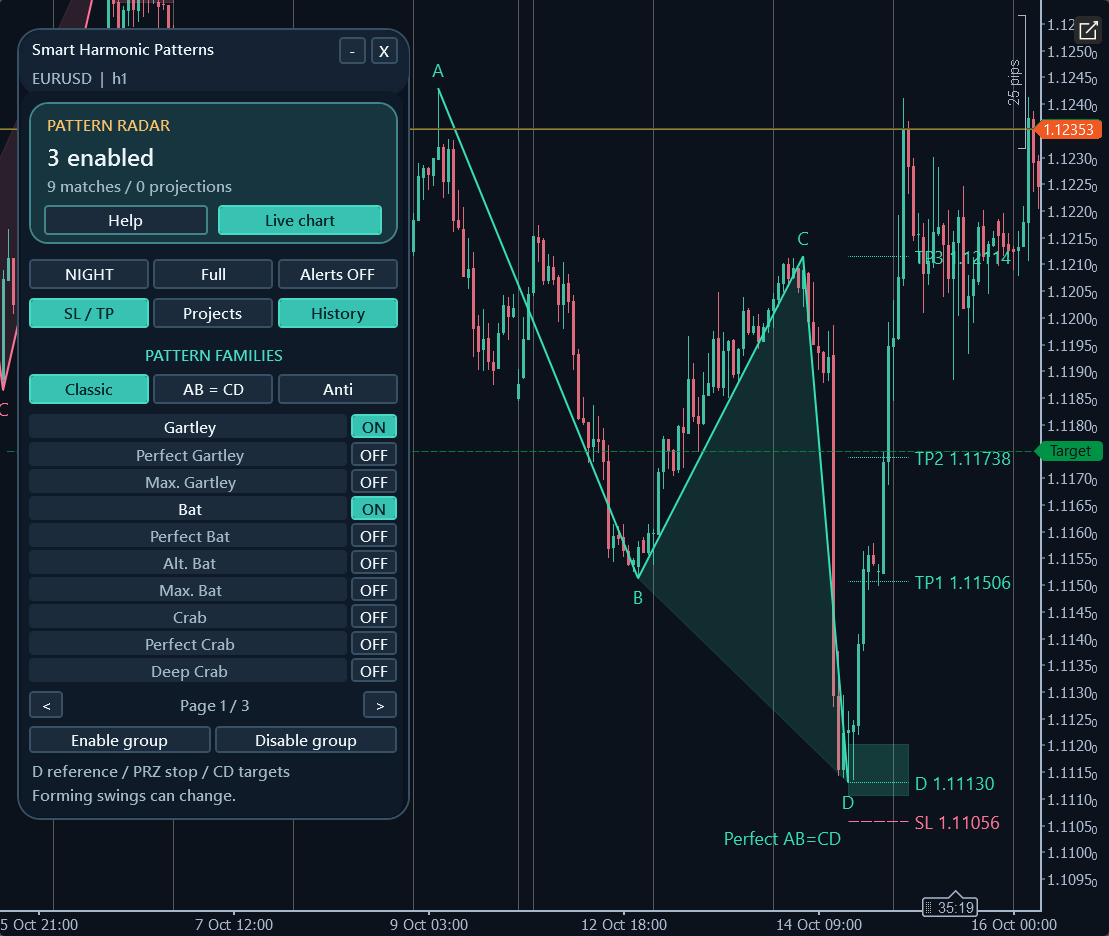
ON YOUR CHART
See the tools in context.
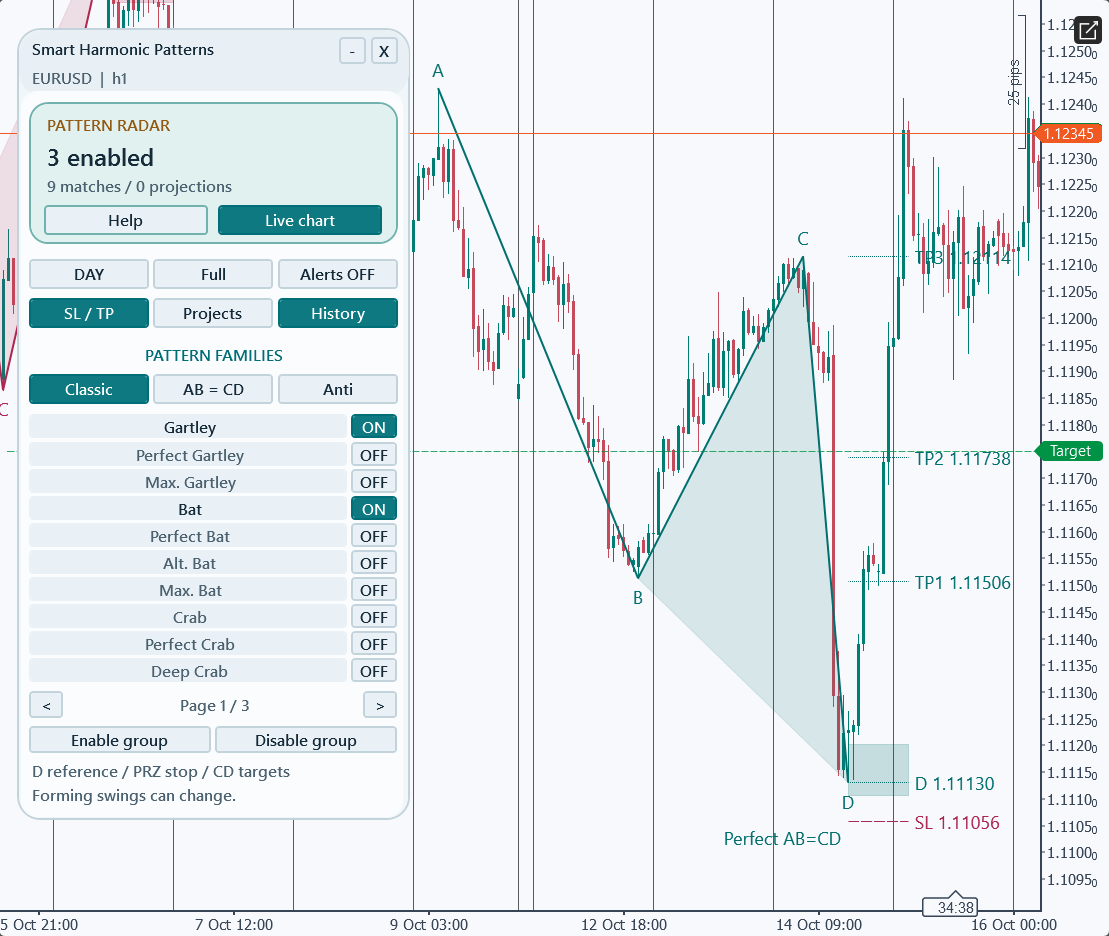
Authentic cTrader screenshots. Some show earlier builds; current controls may differ. Selected historical examples illustrate features, not audited returns or expected performance.
WHAT YOU CAN DO
Build your analysis.
Classic, AB=CD and Anti families, including Gartley, Bat, Butterfly, Crab, Cypher and Shark variants.
Focused defaults: Gartley, Bat and Perfect AB=CD.
Pattern Radar, Latest framing and Live chart navigation.
Full/Standard/Compact and Day/Night modes, separate levels/projections/history controls and remembered panel choices.
Geometric D/PRZ stop references and targets at 38.2%, 61.8% and 100% of CD.
Popup/email events for confirmed, forming and projected patterns; alerts off by default.
GET STARTED
From the Store to your chart.
Install your indicator
- Obtain the named indicator from its official cTrader Store product page using your cTrader ID.
- Install/synchronise it in the desktop cTrader app using the Store instructions, then open a demo chart.
- Add the indicator from the chart Indicators menu, review native parameters and allow enough history to load.
Before you start
- cTrader Windows desktop; broker-supported time-based chart with sufficient history.
- Use the cTrader ID that owns the Store purchase.
- Email alerts require working cTrader email settings and valid sender/recipient parameters.
YOUR FIRST SESSION
Learn the workflow.
- 01
Attach to a demo EURUSD H1 chart and allow history to load.
- 02
Begin with the focused Gartley/Bat/Perfect AB=CD selection, then choose individual variants or groups.
- 03
Use Pattern Radar to inspect enabled variants and visible matches; Latest frames a visible structure.
- 04
Review D, the potential reversal zone and geometric reference levels together.
- 05
Use Live chart to return to current bars; configure alert categories and sender/recipient settings only if needed.
Understand the limits.
- Single-chart manual analysis; no order placement or management.
- Active ZigZag swings/projections can change; confirmation is delayed and closed-bar alerts do not make detection non-repainting.
- Default public window is 1,000 bars with maximum pattern span 300 bars.
- Reference levels omit fills, spread, commissions, slippage and broker-order constraints.
- Hidden outputs are raw ZigZag peak/trough prices (zero when empty), not buy/sell entry signals.
- No mobile push notifications.
Analysis indicators do not guarantee results. Trading involves risk; test configurations on a demo account first.
Questions, answered.
Do closed-bar alerts make patterns non-repainting?
No. ZigZag swings and projections can develop; swing confirmation still arrives later.
Are the hidden outputs buy and sell buffers?
No. They contain raw ZigZag peak/trough prices, with zero empty values.
How are reference targets calculated?
From D, using 38.2%, 61.8% and 100% of the CD leg in the pattern direction; they are geometric references, not orders.
Which account receives the licence?
The cTrader ID signed in to cTrader Store when purchasing. Use that same cTID in the desktop app; the purchase cannot be started by a different cTID.
Does this run in cTrader Web or Mobile?
Custom indicators run in desktop cTrader. These product examples and checks are from Windows; independent Mac validation is not available. Web and Mobile support built-in indicators only.
YOUR NEXT STEP
Smart Harmonic Patterns
One cTrader indicator. One payment of $29. Future versions included.
Purchase and installation are handled by cTrader Store using your cTrader ID.
Need a hand?
Use the setup steps above and the official cTrader guides, or contact Issam Algo for product help.