
CTRADER / WINDOWS DESKTOP
Smart Elliott Waves
Explore Elliott-wave interpretations, three swing sizes and hypothetical reference levels with interactive chart controls.
Future product updates included
cTrader edition · v1.1 · licensed to your purchasing cTrader ID.
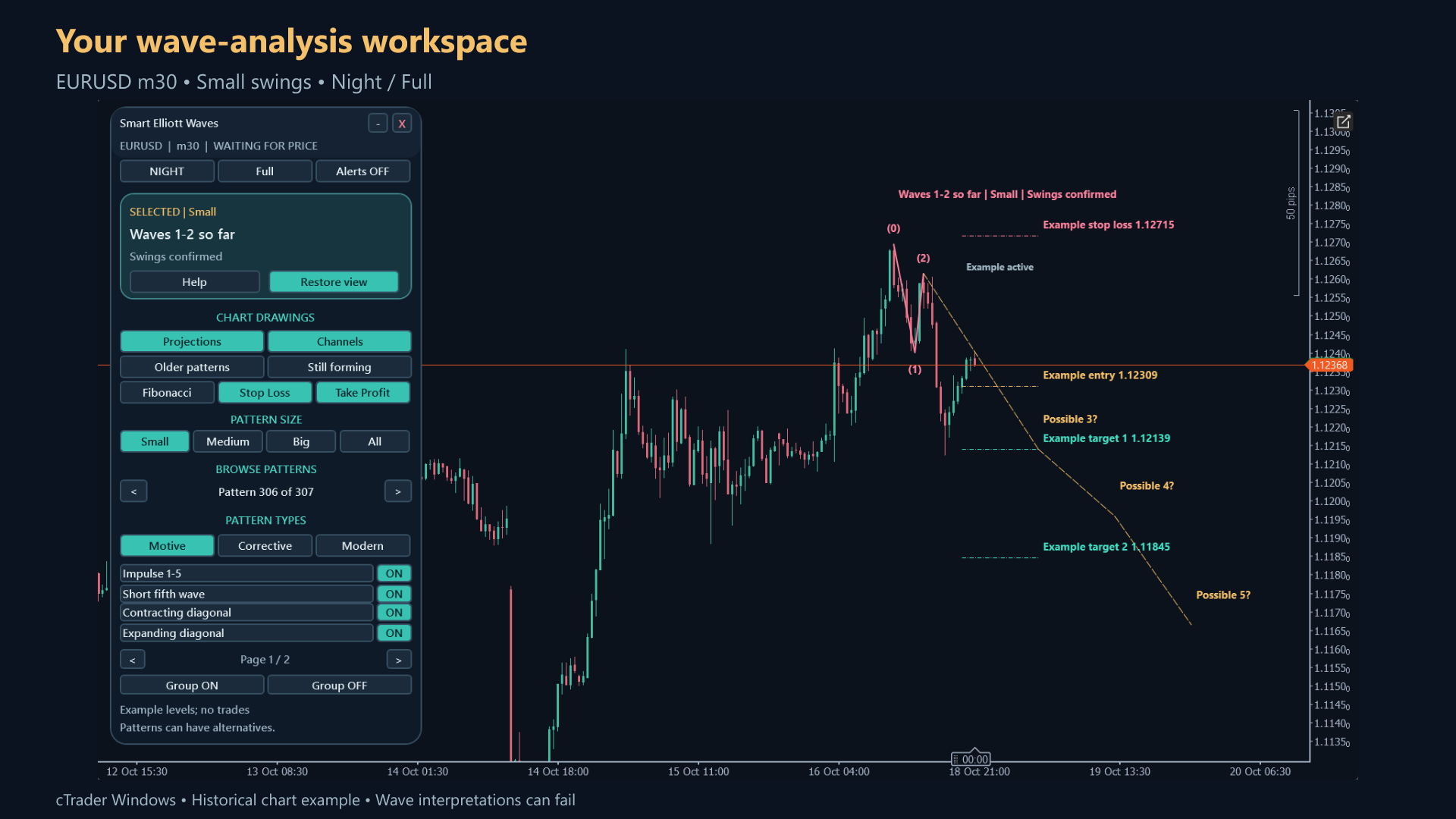
ON YOUR CHART
See the tools in context.
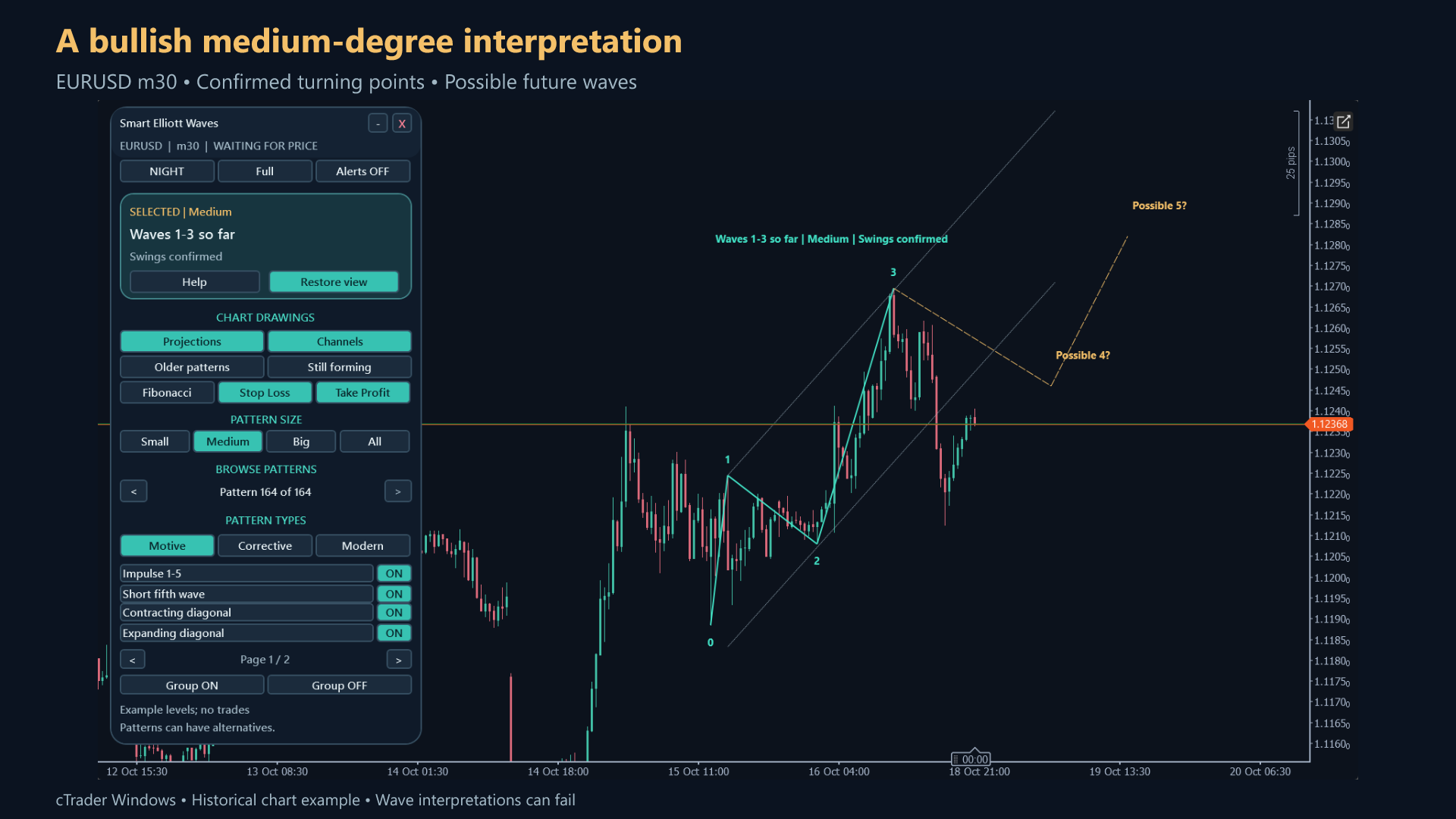
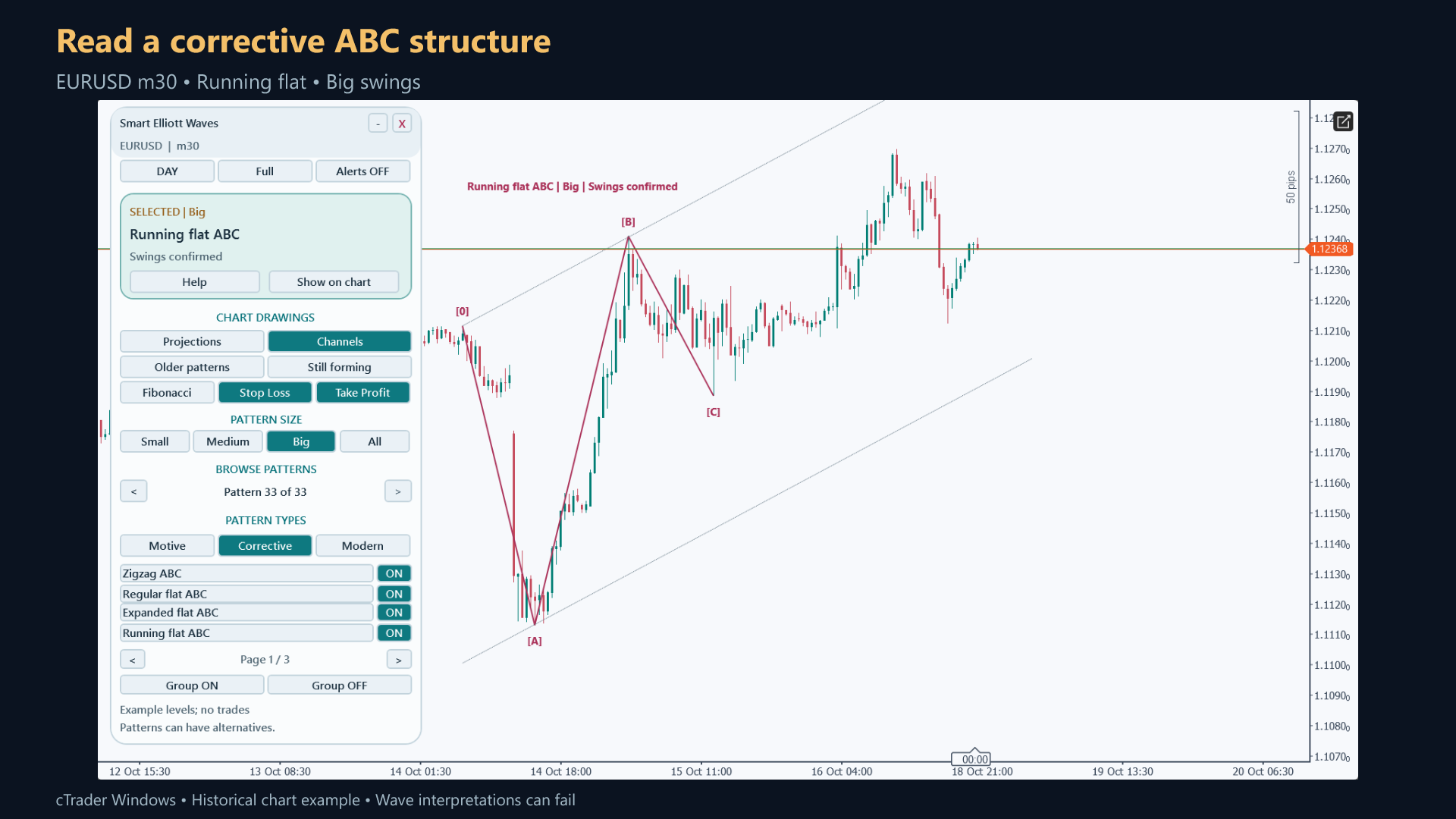
Authentic cTrader screenshots. Some show earlier builds; current controls may differ. Selected historical examples illustrate features, not audited returns or expected performance.
WHAT YOU CAN DO
Build your analysis.
Twenty-two pattern families across Motive, Corrective and Modern groups.
Small, Medium, Big and combined swing-size selection with alternative counts.
Projections, channels, Fibonacci retracements and historical pattern controls.
Day/Night and Full/Standard/Compact panel layouts, remembered settings and 21 help pages.
Eligible confirmed patterns may show a hypothetical entry, stop and two targets.
Optional popup/email notifications; eight analytical-plan outputs and a panel-free Automation mode.
GET STARTED
From the Store to your chart.
Install your indicator
- Obtain the named indicator from its official cTrader Store product page using your cTrader ID.
- Install/synchronise it in the desktop cTrader app using the Store instructions, then open a demo chart.
- Add the indicator from the chart Indicators menu, review native parameters and allow enough history to load.
Before you start
- cTrader Windows desktop; broker-supported time-based chart with sufficient history.
- Use the cTrader ID that owns the Store purchase.
- Email alerts require working cTrader email settings and valid sender/recipient parameters.
YOUR FIRST SESSION
Learn the workflow.
- 01
Begin on a liquid demo instrument such as EURUSD H1 with readable candle history.
- 02
Compare Small, Medium and Big swing sizes, then browse alternative counts.
- 03
Enable families or groups and inspect confirmed swings versus the forming final swing.
- 04
Toggle projections, channels and retracements to understand the scenario.
- 05
Treat any entry/stop/target as an analytical example; use built-in Help and optional alerts deliberately.
Understand the limits.
- No automated order execution, including in Automation mode.
- Wave interpretations may overlap or disagree; confirmation needs later prices and a forming final swing can move.
- Projected waves are scenarios, not forecasts; Modern patterns use experimental shape rules.
- Candle data cannot establish which was touched first when stop and target occur within the same candle.
- Smaller-wave evidence does not verify a count’s placement in the larger Elliott structure.
Analysis indicators do not guarantee results. Trading involves risk; test configurations on a demo account first.
Questions, answered.
Are projected waves forecasts?
No. They are scenarios; overlapping or alternative interpretations can disagree.
Does Automation mode trade?
No. It exposes calculations without the visual panel; it does not execute orders.
What does an ambiguous stop/target touch mean?
Both levels occurred within one candle and candle data alone cannot determine their sequence.
Which account receives the licence?
The cTrader ID signed in to cTrader Store when purchasing. Use that same cTID in the desktop app; the purchase cannot be started by a different cTID.
Does this run in cTrader Web or Mobile?
Custom indicators run in desktop cTrader. These product examples and checks are from Windows; independent Mac validation is not available. Web and Mobile support built-in indicators only.
YOUR NEXT STEP
Smart Elliott Waves
One cTrader indicator. One payment of $39. Future versions included.
Purchase and installation are handled by cTrader Store using your cTrader ID.
Need a hand?
Use the setup steps above and the official cTrader guides, or contact Issam Algo for product help.